
How to Become a Canvas UGC Creator in 2026: The Ultimate Step-by-Step Guide
A practical step-by-step guide to becoming a Canvas UGC creator, from account setup and portfolio samples to outreach, contracts, pricing, and long-term work.
 Madhura Hoval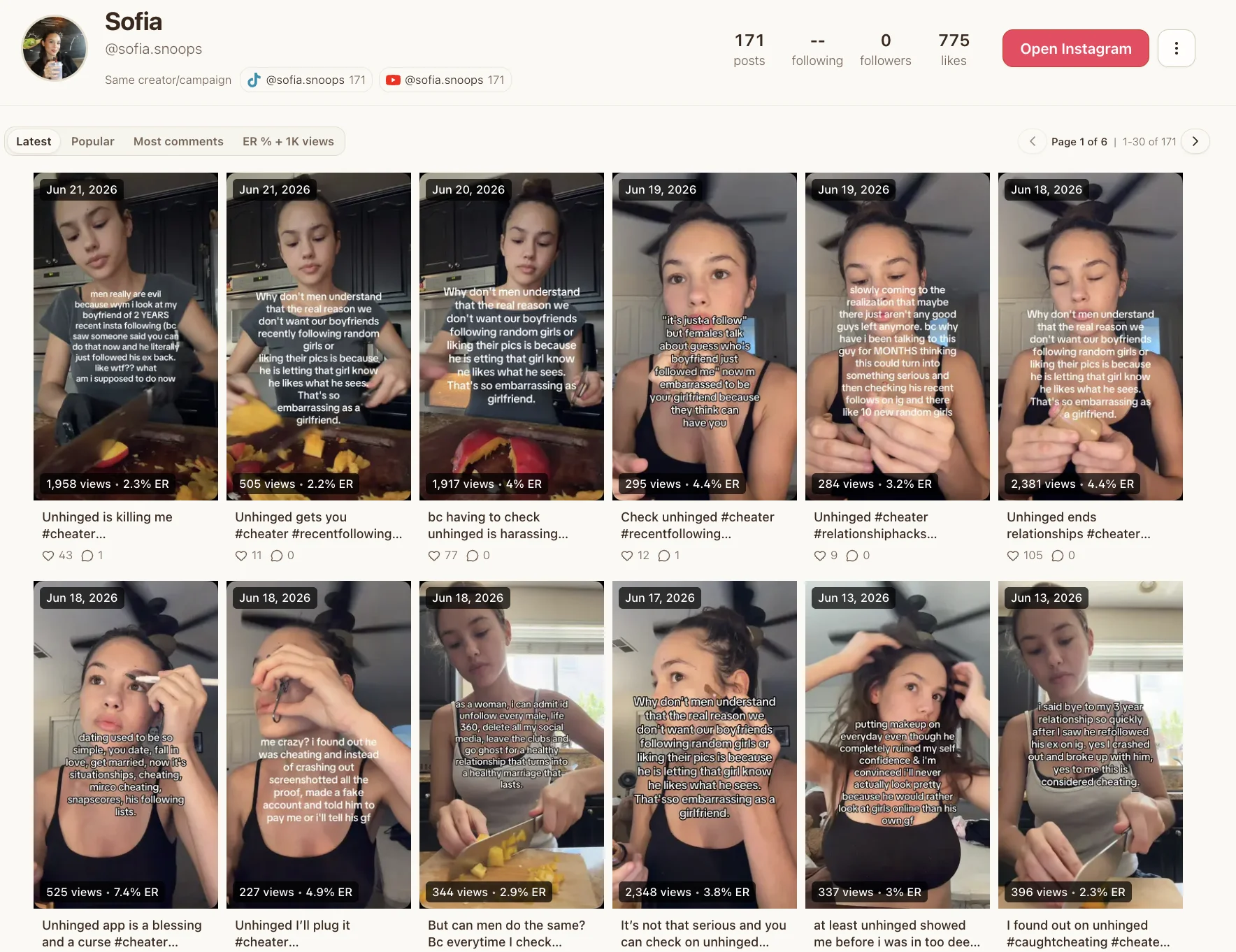
Key Takeaways
Canvas UGC lets you earn $500-$1000 retainer per month for each brand without any followers by creating content for brand-owned accounts instead of your personal profile.
Here's what makes Canvas UGC different and profitable:
- No followers required – You post on brand-owned ambassador accounts starting at zero, earning through performance (CPM/CPA) rather than follower count or influence.
- Equipment barrier is minimal – Your smartphone, natural window light, and free editing apps like CapCut are sufficient to start earning within 90 days.
- Payment scales with performance – Earn $2-$8 CPM with view bonuses: 10K views pays $20-$50, while 1M+ views commands $1,000-$2,000 per post.
- Portfolio beats followers – Film 5-7 spec videos showcasing different content styles, create a simple portfolio website, and apply to platforms like Launchpoint or creators.viral.app.
- Trust scores unlock premium rates – Platforms assign 1-5 Trust Scores based on reliability; scores below 4 lock you out of high-paying briefs with better CPM bonuses.
- Direct pitching expands opportunities – Research brands actively hiring (Bible BFF, Bloom, Minutes AI), engage authentically for 2-3 weeks, then pitch with personalized messages referencing specific campaigns.

The Canvas UGC market will reach $8.48 billion in 2026, with 92% of consumers trusting peer-created content over brand posts. Start filming portfolio samples today—your first paid campaign requires proof of ability, not audience size. You need zero followers to become a Canvas UGC creator. You can earn $50 to $500 per video creating content for brand-owned social accounts instead of your own profile. Canvas UGC is different from traditional UGC because brands post your videos on their dedicated Canvas accounts rather than receiving deliverables for their main channels. Roughly 8 in 10 UGC creators quit within 1 to 2 months, but the right approach changes that. This piece shows you how to become a UGC creator, what Canvas UGC is, how to start UGC from scratch and build your portfolio, land deals, and scale your income.
What Is Canvas UGC and How It Works
Canvas UGC flips the traditional creator model. Instead of posting on your personal profile, you create and publish videos on brand-owned social accounts built to look like authentic consumer profiles. The brand owns the account, the audience signal and the content library, while you handle filming and posting at a steady cadence.
Canvas UGC vs Traditional UGC Creation
Traditional UGC operates as a content transaction. You film a video, deliver the file to the brand, and they license it for paid ads or organic posts on their official channels. Your personal following matters because brands select creators in part for niche credibility. Pay arrives as a flat fee per video, ranging from $100 to $500 depending on usage rights.
Canvas UGC changes the surface. You post on a brand-dedicated ambassador account that starts at zero followers. The account gets niched toward a specific audience segment through bio setup, visual identity, follow patterns and sound choices, so the algorithm learns who to serve content to from day one. Pay ties to performance rather than deliverables. Creators earn through CPM (cost per 1,000 views) or CPA (cost per install), with rates between $2 to $8 CPM in 2025-2026.
The contract structure inverts. Traditional UGC lets you keep your audience while the brand rents your content. Canvas UGC lets the brand keep the audience signal while you operate their distribution feed. Every post you publish compounds the audience match on a handle the brand controls, so format tests and hook variants happen on the same trained surface instead of resetting on a cold account each time.
Why Brands Hire Canvas UGC Creators
Brands need volume without the influencer premium. A production agency charges tens of thousands per commercial and requires weeks of planning. Canvas creators deliver comparable content at a fraction of the cost and enable brands to test different faces, voices and hooks at once.
Algorithmic consistency drives the second reason. Social platforms reward frequent posting. Brands need multiple posts daily to stay visible on TikTok. Teams struggle to produce that variety without content becoming repetitive. Canvas creators supply a constant stream of fresh, platform-native video that keeps feeds looking dynamic and human.
There's another reason: measurement precision. Canvas UGC tracks top-funnel metrics: views, view duration, save rate, follower growth on the brand account and install count if conversion is one-click. Performance data lives on a single owned account, which makes it easier to identify what pulls views and what stalls.
Types of Brands Using Canvas UGC
Consumer apps dominate Canvas UGC adoption. Bible BFF, Bloom, Minutes AI, Nomadable, Gamma, Source and Sprout hire creators to run dedicated ambassador accounts. These apps need continuous short-form video because no single post carries the campaign weight.
SaaS and AI products follow. Finance apps, productivity tools and wellness platforms use Canvas UGC as a main organic acquisition channel. The model works because app downloads require minimal friction. A viewer can install from the video, which makes performance tracking straightforward.
E-commerce and fintech brands adopt Canvas strategies, though at lower volumes than apps. Physical product brands still lean toward traditional UGC when shoppers need to see, touch or apply the item before purchase. Community-driven brands also prefer traditional formats, where a known creator's face carries more weight than an anonymous ambassador account.
The UGC market will reach $8.48 billion in 2026, up from $7.10 billion in 2025, with surveys showing 92% of consumers trust peer-created content over brand-made posts. Canvas UGC captures that trust at scale.
Getting Started as a Canvas UGC Creator
Most creators launch with equipment they already own. A modern smartphone handles filming, a window provides natural light, and free apps like CapCut cover editing. Ring lights and tripods remain optional. Top Canvas performers film entirely on their phone.
Simple Equipment You Need
Your phone's front camera captures most Canvas UGC content. Audio matters more than visual polish, so film in a quiet space without echo. Natural light from a window beats artificial setups for skin tones and warmth. CapCut, available free on iOS and Android, has transitions, text overlays, and sound sync tools sufficient for platform-native video.
New creators commonly earn a few hundred to a few thousand dollars per month in their first 90 days. Skills that matter are hooks, editing consistency, and scripting rather than equipment quality. A phone is enough gear and lowers the barrier to earning from short-form video.
Create a Dedicated Canvas UGC Account
Stop using your personal account. Brands care about content performance, not follower count or personal connections. Create a fresh TikTok or Instagram account dedicated to Canvas UGC work. This account becomes your first portfolio piece and demonstrates you can advertise something on social media.
Pick one to two niches you can film natively. Apps, AI tools, study content, fitness routines, or finance topics work well. Your dedicated account posts about Canvas UGC itself, side hustles, or your content creation experience. Posting about Canvas UGC builds a following that has other creators, brands hiring, and people who know someone hiring.
Setting Up Your Profile for Success
Warm up the account before posting. TikTok classifies new accounts based on behavior, not content. The algorithm lacks data on who to show your videos to if you post without warm-up activity.
Spend 24 to 48 hours acting like a real user first. Scroll your For You Page for 15 to 20 minutes daily. Watch videos completely, like some, save a few, and leave genuine comments on content in your target niche. Avoid unrelated niches, which tells TikTok exactly what category to assign your account.
Set up profile signals that match. Add a profile photo, write a bio that describes your niche, and choose a username aligned with your content before posting. TikTok uses profile information as classification signals alongside your behavior patterns.
Understanding Trust Scores and Platform Requirements
Canvas UGC platforms like Launchpoint assign every creator a Trust Score ranging from 1 to 5. This score tracks reliability across accepted briefs, on-time delivery, and first-pass review clearance rates.
Accepting a brief without posting drops your score fastest. Missing deadlines or submitting late also reduces it. Content that fails review and requires reshoots chips away at the score over time, while consistent on-time delivery and clean first-pass submissions raise it.
Scores below 4 lock you out of premium briefs where higher per-video rates and CPM bonuses live. Low scores reduce the rates visible on available briefs. Top-tier scores grant first access to new campaigns before they open to the wider network.
Creators apply through platforms like creators.viral.app or the Launchpoint iOS app. You create a profile, browse open brand campaigns, apply to relevant briefs, and start running an ambassador account once approved.
Building Your Canvas UGC Portfolio
Brands hire based on proof, not potential. Your portfolio demonstrates you can script, film, and deliver platform-native video before anyone pays you. Spec content fills that gap.
Film Your First 5-7 Sample Videos
Spec content means practice videos for brands you already use. Film a review of your favorite skincare product or an unboxing of a recent purchase. Treat these with the same effort you would for a paid job. Select products you use often, genuinely enjoy, find helpful, line up with what you want to promote, and think more people should know about.
Recreate 5 to 10 viral short-form videos in your chosen niche to build a small portfolio. Film in 9:16 portrait format, stabilize your phone, face your light source, and capture short clips rather than one long take. Get B-roll of the product from multiple angles, the packaging, and the product in use.
Showcase Different Content Styles
Variety tells brand reviewers you understand content formats. A portfolio with only silent product B-roll blends together fast. Mix in different styles: unboxing with voiceover, esthetic style, testimonial story, product demos and features showcase, ASMR, DIY tutorials, problem and solution, vlog, transformation or before and after, and educational formats.
Create a Simple Portfolio Website
A professional website serves as your central hub. Brands view your best work there, understand your niche, and contact you. Canva offers free portfolio sites, though the URL ends in my.canva.site. Professional domains purchased through Canva cost $20 per year and look more credible.
Your portfolio needs a cover page with your name, location, and content specialty. Feature 3 to 5 UGC examples, not more. Put your best video first. Brand reviewers give each creator minimal time. Turn off autoplay on portfolio videos. Reviewers open hundreds of portfolios and simultaneous audio becomes overwhelming. Include a contact section with email and a Calendly booking link.
Post Sample Work on Social Media
Your dedicated Canvas UGC account doubles as a live portfolio. Post your spec content there and content about side hustles or your creation journey. TikTok and Instagram beat Google Drive for portfolio sharing. Video playback works smoother for brand reviewers.
Finding and Landing Canvas UGC Deals
Jobs appear in three places: managed Canvas networks, operator Discord servers, and direct brand outreach. Platforms streamline the search, but cold pitching requires more legwork and opens higher-rate opportunities.
Apply to Canvas UGC Platforms
Canvas UGC jobs post as open brand campaigns on platforms that include creators.viral.app, the Launchpoint iOS app, and Whop Content Rewards. Sign up takes 15 minutes on Launchpoint: download the iOS app, build your profile with age, location, and niches you can shoot for, upload a 15 to 30 second sample clip, connect PayPal or Venmo, and wait for approval. Creators.viral.app operates the same way and lets you browse campaigns, apply, and start running an ambassador account once approved. Apply to the UGC Infra creator network for vetted Canvas opportunities matched to your content style.
Whop Content Rewards pays per 1,000 views after you submit content. Each campaign displays the budget, CPM rate, and required platforms upfront. Browse campaigns, join the brand's Whop, check requirements in the earn tab, create your content and follow brand guidelines, then submit within an hour of publishing to capture views.
Research Brands That Hire Creators
Scroll Instagram and TikTok for sponsored posts that appear every third or fourth item in your feed. Brands that pay for ads maintain active marketing budgets and need fresh content. Check their feed for UGC-styled posts, follow them, and engage for two to three days before you pitch.
Search LinkedIn for job titles that include Brand Collaborations, Marketing Manager, or Creator Partnership Coordinator at companies you want to work with. Bible BFF, Bloom, Minutes AI, Nomadable, Gamma, Source, and Sprout hire Canvas UGC creators. Brands that need managed Canvas programs can explore Adworkly's Canvas UGC service for turnkey creator networks.
Pitch Brands on Social Media
Engage first, pitch second. Follow the brand, like posts, and comment for two to three weeks before your formal pitch. Personalization matters because generic copy-paste emails land in trash folders. Reference a specific product, recent ad, or campaign angle in your opening line.
Write Cold Outreach Messages That Convert
Keep pitches short: one greeting line, two sentences on why you love their product, your portfolio link, and a clear next step. Ask "Are you sourcing creators for content?" rather than "Let me know if interested". Include proof without flexing and link one portfolio example that shows quality. Wait 48 to 72 hours before you follow up.
Handle Contracts and Usage Rights
Usage rights are permissions you grant brands to use your content on specific platforms, for specific durations, and in specific territories. Organic use carries your base rate with no additional fee. Paid ad usage for 30 to 90 days adds 25 to 40 percent per month to your base. Perpetual usage should command double your base production fee or more. Confirm seven things in writing before every deal: deliverables, delivery date, revisions included, usage rights, payment amount and timing, exclusivity clauses, and credit priorities.
Understand FTC Disclosure Requirements
Disclose any financial, employment, personal, or family relationship with a brand when you endorse products through social media. Material connections include payment, free products, discounts, or any value received to mention a product. Place disclosures where they are hard to miss and use simple language like "ad," "sponsored," or "thanks to [Brand] for the free product". For video content, include visual and verbal disclosure at the start, not just in the description. Superimpose larger text disclosures like #ad over images rather than rely on small caption text. Repeat disclosures in live streams so viewers who join mid-stream see them.
Pricing, Payment, and Growing Your Canvas UGC Income
Canvas payment is different from the flat-fee model most aspiring creators expect. Traditional UGC delivers a one-time file to a brand for around $500 per video, with turnaround stretching three weeks. Canvas UGC pays through a two-stage system where your content lives on the brand's account and earnings scale with performance.
Set Your Starting Rates
Trial creators start with no negotiated rate. Pay comes from view bonuses, not deliverables. Brands using Canvas models operate at $2 to $8 CPM. Cost fluctuates based on how many views each post earns rather than a fixed invoice amount.
Understand View Bonuses vs Flat Rates
Canvas platforms structure payouts in view tiers. Posts that hit 10K views earn $20 to $50. 50K pays $75 to $150, 100K brings $150 to $300, and 1M+ views command $1,000 to $2,000. Each threshold pays on its own, so a post that crosses 100K earns bonuses at 10K, 50K and 100K combined.
Track Your Performance Metrics
Monthly income ties to average view counts. Trial creators who average 10K to 50K views per post earn $400 to $1,500 monthly. Contracted creators who hit 100K average $2,500 to $6,000, and those who clear 500K+ bring $8,000 to $20,000+.
Scale from Trial Runs to Weekly Contracts
Consistent performance unlocks weekly contracts that offer $100 to $300 guaranteed weekly plus five posts minimum, with view bonuses on top. The guaranteed base covers your time whatever the performance.
Invoice and Get Paid on Time
Canvas platforms like Launchpoint automate payouts via PayPal or Venmo once posts go live. No invoicing required. Traditional UGC requires manual invoicing, but Canvas handles distribution on its own. Creators who build Canvas networks for brands can explore Adworkly's managed Canvas UGC service, or join vetted opportunities through UGC Infra's creator network.
Conclusion
You now have the complete roadmap to start earning as a Canvas UGC creator without waiting to build a following first. Your smartphone and a few sample videos are enough to land your first paid campaign.
The difference between creators who quit in 60 days and those earning steady income comes down to consistency and platform choice. Apply to vetted opportunities through UGC Infra and pitch brands direct. Post on your dedicated account often. Brands that need managed Canvas programs should explore Adworkly Canvas UGC.
Start filming your portfolio samples today. Your first $500 Canvas paycheck is closer than you think.
FAQs
Is Canvas UGC still relevant in 2026?
Yes, Canvas UGC continues to grow in 2026. The UGC market is projected to reach $8.48 billion in 2026, up from $7.10 billion in 2025. Consumer apps, SaaS products, AI tools, and fintech brands actively hire Canvas UGC creators to produce platform-native content for brand-owned social accounts, making it a viable income opportunity.
What equipment do I need to start creating Canvas UGC content?
You can start with equipment you already own. A modern smartphone handles all filming needs, natural window light works better than artificial setups, and free editing apps like CapCut provide sufficient tools for platform-native video. Ring lights and tripods remain optional, as top Canvas performers film entirely on their phones.
How much can I earn as a beginner Canvas UGC creator?
New creators typically earn a few hundred to a few thousand dollars per month in their first 90 days. Payment is performance-based, with typical rates ranging from $2 to $8 CPM (cost per 1,000 views). Trial creators averaging 10K to 50K views per post earn $400 to $1,500 monthly, while those hitting 100K average views can earn $2,500 to $6,000.
Do I need followers to become a Canvas UGC creator?
No, you don't need any followers to start. Canvas UGC differs from traditional influencer marketing because you create content for brand-owned accounts that start at zero followers, not your personal profile. Brands care about content performance and your ability to create engaging videos, not your follower count.
How do I find Canvas UGC jobs and get hired?
You can find opportunities through Canvas UGC platforms like creators.viral.app, the Launchpoint iOS app, and Whop Content Rewards. Create a profile, upload sample videos, browse open brand campaigns, and apply to relevant briefs. You can also pitch directly to brands on social media or join vetted creator networks like UGC Infra.