A Guide to LinkedIn Marketing That Gets Results
Learn how to build a LinkedIn marketing strategy that drives real growth. Get practical advice on profile optimization, content creation, and lead generation.
Before you run ads or launch outreach campaigns, you need a strong foundation. Your LinkedIn presence, including your Company Page and the personal profiles of key team members, is your digital first impression. An incomplete profile or a neglected company page looks unprofessional. This is a sure way to lose a potential client.
Let’s review how to build a solid foundation that looks professional and works to build trust and attract the right people.
Build Your LinkedIn Foundation
Think of your LinkedIn page as your digital storefront. When someone lands there, they should instantly get a clear picture of who you are, what you do, and why you do it well. Nailing this initial setup makes every other marketing effort on the platform more effective.
Optimize Your Company Page
Your Company Page is the official hub for your business on LinkedIn. You will share your biggest wins, announce new hires, and tell your brand's story here. A polished, active page establishes your authority and gives prospects a single place to connect with your brand.
First, get your visuals right. Use a crisp, high-resolution version of your logo as the profile picture. For the banner, use a compelling image that captures your brand's mission or shows your product in action. This visual handshake helps people remember you.
Next, complete your "About" section. This is not the place for corporate jargon. In simple terms, explain the problem you solve and for whom. Include keywords your ideal customers would use to find a solution like yours. A well-written "About" section helps you appear in LinkedIn search results.
Make sure these key details are filled out completely:
- Tagline: A short sentence summing up your value. For example, "Simple Accounting Software for Small Businesses."
- Website URL: Add a direct link to your site. Do not make people guess.
- Company Size and Industry: Choose the right categories so LinkedIn can properly classify your business.
- Location: Pin your headquarters or main business address.
A complete Company Page gets 30% more weekly views than one with missing pieces. Filling out every field tells LinkedIn and your visitors that you're a serious, active business.
Refine Your Personal Profile
Many businesses overlook this. Your personal profile is as important as your Company Page, especially for anyone in a leadership or client-facing role. People do business with people, not logos. Your profile is your best tool for building that personal connection and trust.
Start with your headline. It is the first thing people read. Change your boring job title. Instead of "Sales Manager," try something benefit-driven like, "Helping B2B Tech Companies Increase Revenue with Strategic Sales Funnels." One describes what you are. The other describes what you do for others.
Your "About" section brings your headline to life. Tell a short story about your professional path and what you are passionate about. This is your chance to show your expertise and personality.
Finally, when detailing your work experience, get specific. Replace vague responsibilities with tangible achievements. Use bullet points to highlight measurable results, like "Grew lead generation by 40% in six months" or "Managed a portfolio of 25+ key accounts." These numbers provide proof of your skills. Adding social proof is another way to build trust. It is worth learning how to get customer reviews to add more credibility. When your personal profile backs up your company's claims, your entire marketing strategy becomes more effective.
Create Your LinkedIn Content Strategy
A polished profile is your handshake. Your content holds the conversation. Without a solid plan, you are posting whenever inspiration strikes and hoping something works. A real strategy turns random updates into intentional, valuable communication.
The goal is not only to sell. It is to become the go-to resource in your field. People should think of your name when they have a problem you can solve. A good content plan does that.
Define Your Content Pillars
Before you write a post, you need to know what you are going to talk about. This is where content pillars help. These are the 3-5 core topics you will own. This is the area where your expertise meets your audience's biggest questions.
Let’s say you sell project management software. Your pillars are not "buy our software." They are the topics your ideal customer cares about.
- Productivity Hacks
- Better Team Collaboration
- Project Management Methodologies
- Leadership Insights
These pillars act as your guardrails. They keep your content focused, consistent, and relevant. They help your audience quickly understand what you offer. This approach is the foundation of any strong content marketing plan, on LinkedIn and elsewhere.
Choose the Right Content Formats
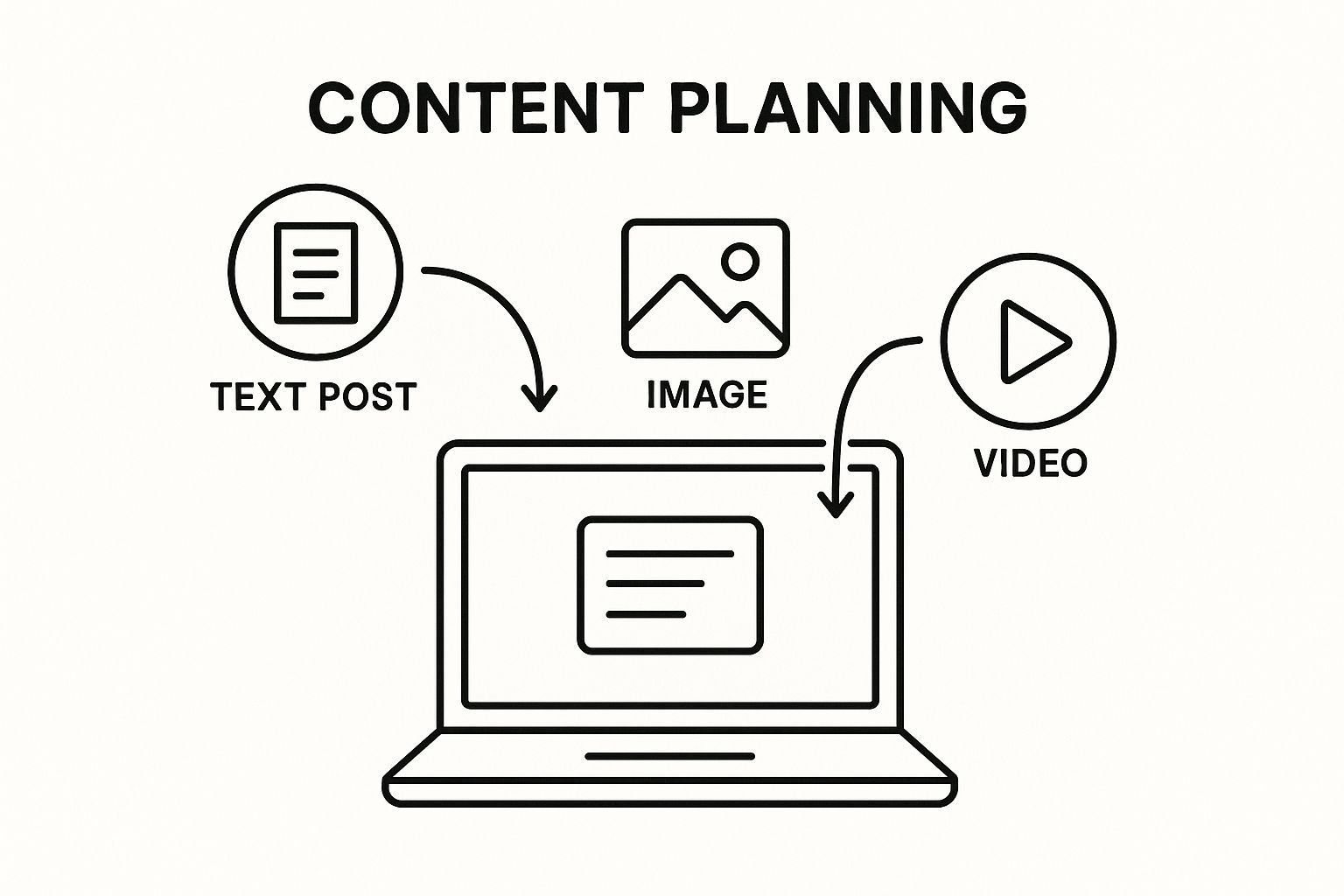
LinkedIn gives you a toolbox of ways to share your message. The trick is to mix it up. Using different formats keeps your feed fresh. It also appeals to people who prefer watching a video over reading a long post, or vice versa.
Each format has its own strength.
- Text-Only Posts: Do not underestimate the power of text. It is perfect for telling stories, asking thought-provoking questions, or sharing a quick insight. They are easy to scan, which often leads to good engagement.
- Image Posts: A striking image, a well-designed infographic, or a compelling chart can stop the scroll. Visuals are great for breaking down complex ideas and making your content more shareable.
- Video Content: Short-form, native video is valuable on LinkedIn. Think quick tutorials, behind-the-scenes glimpses, or expert commentary. Keep it concise and authentic.
- Polls: This is the easiest way to start a conversation. Polls are low-effort for your audience to engage with. They give you instant feedback and a sense of what your network is thinking.
- Documents (Carousels): When you upload a PDF or PowerPoint, LinkedIn turns it into an interactive carousel. This format is useful for walking people through a process, showcasing a case study, or sharing key takeaways from a report.
The secret is matching the message to the medium. A deep analysis of a case study is perfect for a document carousel. A take on industry news is made for a simple text post.
Build a Simple Content Calendar
Consistency is important. A content calendar is your best friend here. It removes the daily "what should I post?" panic. It also ensures you are showing up for your audience regularly.
It does not need to be a complex, color-coded spreadsheet. A simple spreadsheet will do the job.
This simple framework gives you an overview of your content. It makes sure you are hitting all your pillars and mixing up your formats. Try to post 3-5 times per week to stay top-of-mind.
Find the Best Times to Post
Posting brilliant content at 2 AM on a Saturday will not get you far. You need to publish when your audience is online and scrolling. You will find plenty of "best time to post" guides. The real answer is in your own data.
This is where your LinkedIn Analytics helps. Go to your Company Page analytics and see when your followers are most active. You might find your audience of finance professionals is online at 8 AM on Tuesdays. Your network of creatives may scroll during their lunch break on Thursdays.
LinkedIn is a hub of professional activity. The platform gets around 1.77 billion monthly visits. A large 43% of consumers globally have a profile. With about a quarter of users checking brand content daily, timing your posts is a large competitive advantage. You can find more LinkedIn user engagement trends to see how active the platform is.
Use your page's analytics as your starting point, not your final answer. Test different days and times. Watch your engagement numbers. Double down on what works. This data-driven tweak is a small change that can make a big difference in your reach.
Grow Your Network Without Spending a Dime
You have polished your profile and have a solid content plan. That is a great start. A passive presence is not enough. Now, it is time to get active and start building professional relationships through organic outreach. This is how you turn your profile into a lead-generation machine without an ad budget.
The key is to connect with the right people. Forget vanity metrics. A small, relevant network of a few hundred ideal contacts is more valuable than a large network of thousands who will never buy from you. Quality over quantity is always better.
Finding and Connecting with Your Ideal Clients
LinkedIn’s search bar is your best friend. You need to go beyond entering a job title. The real power is in the advanced filters. Use them to narrow down the user base until you have a focused list of your ideal clients.
You can get specific by filtering for:
- Industry: Focus on the exact sectors that need what you offer.
- Company Size: Target startups, mid-market companies, or enterprise-level corporations.
- Job Title: Pinpoint the decision-makers you need to talk to.
- Location: Find prospects in a specific city, state, or country.
Once you have that curated list, send a connection request. Do not hit the "Connect" button alone. A generic, empty request is easy to ignore. A personalized note shows you have done your homework.
Pro Tip: Change the default “I’d like to connect with you on LinkedIn.” A short, specific note can increase your acceptance rate. Mention a shared connection, a piece of content they wrote, or a common interest from their profile.
For example, a simple tweak makes a difference:
“Hi [Name], I saw your recent post about the challenges in the logistics industry. Your insights on supply chain automation resonated. I am also focused on this area and would love to connect.”
Build a Daily Engagement Habit
Consistency is important on LinkedIn. You do not need to spend hours on the platform. You do need to show up regularly. Set aside 15-20 minutes each day to engage meaningfully. You will stay top-of-mind with your network.
A simple daily checklist might look like this:
- Drop Thoughtful Comments: Find three posts from relevant people in your industry. Do not say "Great post!" Add to the conversation. Ask a question, share a related insight, or offer a different perspective.
- Engage with Your Own Content: Make it a rule to respond to every comment on your posts. This shows you are listening. It also signals to the algorithm that your content is valuable.
- Participate in LinkedIn Groups: Find one or two active groups where your ideal clients spend time. Be the helpful expert. Answer questions and offer advice without pitching your services directly.
The goal is to create a well-rounded presence. A good mix of content types, from text posts to images and videos, will keep your feed interesting and support your outreach efforts.
From Conversation to Client
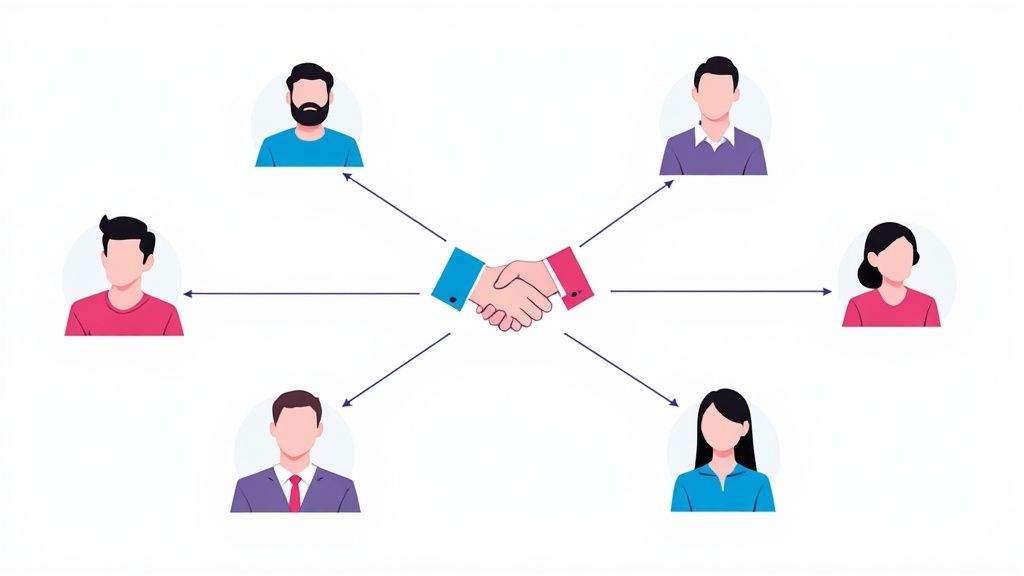
All this commenting and connecting has one purpose: to start conversations. Once someone accepts your request or replies to your comment, you have an open door. The next move is to take the conversation from a public forum to a private message.
A good follow-up message feels natural, not salesy. It continues the conversation without an immediate pitch.
Try something like this: “Thanks for connecting, [Name]. I enjoyed your perspective on [topic]. On a related note, I read an article about [related topic] and thought you might find it interesting. Here’s the link.”
This value-first approach builds trust. Over time, as you establish rapport, you can guide the conversation toward their business needs and how you can help. With over 1.15 billion members worldwide as of early 2025, an 80% increase in six years, the pool of professionals you can connect with is massive. You can learn more about the scale of this opportunity from these latest LinkedIn statistics from Cognism.
This patient, value-driven strategy is what separates successful marketers from spammers.
To help you decide where to focus your time and money, here is a breakdown of how organic efforts compare to paid advertising on the platform.
Organic vs Paid LinkedIn Marketing Activities
This table compares the primary activities, costs, and expected outcomes for organic and paid marketing efforts on LinkedIn. This helps you decide where to focus your resources.
A balanced strategy that combines the trust-building of organic outreach with the speed and scale of paid ads will deliver the best results. If you are starting out or on a tight budget, mastering organic marketing is the perfect foundation.
Run Targeted LinkedIn Ad Campaigns
Organic outreach is great for building relationships over the long haul, but sometimes you need results faster. That is where LinkedIn Ads help. Think of it as the express lane to your ideal audience. It puts your message right in front of the specific professionals you want to reach, at scale.
Paid campaigns let you jump the line instead of waiting for your network to grow slowly. You get to be precise, ensuring every dollar you spend is aimed at people who can make a decision about your product or service.
First, Know Your Ad Formats
LinkedIn gives you a few different tools in your ad toolbox. Picking the right one is your first step toward a winning campaign. Do not feel you need to use them all at once. Match the format to what you are trying to accomplish right now.
- Sponsored Content: These are the ads that appear in the LinkedIn feed. They look like a regular post but with a small "Promoted" tag. They are perfect for promoting your best content, getting eyes on your website, or building brand awareness with a professional crowd.
- Message Ads: You might remember these as Sponsored InMail. They land directly in your target's LinkedIn inbox. Since they feel more personal, they are great for webinar invites, product demo offers, or anything that needs a direct, clear call to action.
- Lead Gen Forms: This is not a separate ad type, but a feature you can attach to your ads. When someone clicks your CTA, a form instantly appears, pre-filled with their LinkedIn profile info. It makes signing up easy, which can improve your conversion rates.
If you want to get more mileage out of a great case study, use Sponsored Content. If you are trying to get sign-ups for a webinar, attach a Lead Gen Form to your ad. It is that simple.
Setting Up Your First Campaign in Campaign Manager
The LinkedIn Campaign Manager is your mission control for advertising. It can look intimidating at first, but launching a basic campaign is straightforward. It all starts with one question: What is your goal?
You have to tell LinkedIn what you want to achieve. The most common objectives are:
- Brand Awareness: Get your name out there.
- Website Visits: Drive traffic to a landing page.
- Lead Generation: Capture leads on the platform with Lead Gen Forms.
Once you have picked your objective, define your audience. This is where the magic happens.
LinkedIn's B2B targeting is excellent. You can create audiences based on job titles, company names, industries, seniority levels, and specific skills people list on their profiles. This precision means you are not throwing money at the wall and hoping something sticks.
After you have built your audience, you need to set your budget and schedule. You can choose a daily spend or a total budget for the campaign, so you are always in control. My advice? Start small. Test your messaging and targeting, see what works, and then scale up.
Mastering Audience Targeting
I cannot say this enough: your targeting will make or break your campaign. You could have an amazing ad, but if you show it to the wrong people, it will fall flat.
Let's imagine you are selling a project management tool built for marketing agencies. Instead of a vague "target all marketers" approach, you can get focused.
- Job Titles: "Marketing Manager," "Project Manager," "Head of Operations"
- Industry: "Marketing and Advertising"
- Company Size: "11-50 employees" or "51-200 employees"
This ensures your ad is only seen by the decision-makers you need to reach. The platform's own success is built on this effectiveness. LinkedIn brought in 16.37 billion** in revenue in 2024. Advertising accounted for nearly all of it at **16.2 billion. That growth is because it works. An estimated 80% of B2B leads from social media come from LinkedIn. You can see more of these numbers in this report on The Social Shepherd.
Writing Ad Copy That Converts
Your ad copy and visuals are your one shot to convince someone to click. The best ads on LinkedIn are direct, professional, and focused on value. They address a specific pain point and offer a clear solution.
Keep it short. Grab their attention with a strong hook and get straight to the benefit.
Instead of a generic line like, "We sell the best project management software," try this: "Tired of wasting time in status meetings? Our tool helps marketing teams cut meeting time by 30%." The second one is specific and promises a tangible result.
Finally, make your call to action (CTA) easy to understand. Use active, commanding phrases like "Get Your Free Demo," "Download the Guide," or "Learn More." Tell them exactly what to do next. Pair that with a strong visual, and you will have an ad that stands out and gets clicks.
Measure Your Performance and Adapt Your Plan
You have put in the work. You are posting content, running ads, and engaging with your network. Now what? All that activity generates data. Ignoring it is like flying blind.
You have to get into the habit of checking your metrics to see what is connecting with people and what is noise. This is how you stop guessing and start building a data-driven strategy. A great plan is not set in stone; it is alive. It bends and adapts. By keeping an eye on your performance, you can make small adjustments that lead to big improvements over time.
Key Metrics in LinkedIn Analytics
First, let's look at your organic efforts. Your Company Page has its own built-in dashboard called LinkedIn Analytics. It is your ground zero for understanding how your page and posts are performing. I recommend checking it at least once a month to get a feel for the trends.
Do not get overwhelmed by all the numbers. To start, focus on these three:
- Impressions: This is how many times your post was shown to someone on LinkedIn. A big number here is great. It means you are getting seen.
- Engagement Rate: This tells you what percentage of people who saw your post interacted with it (liked, commented, shared). A high engagement rate is a sign that your content is hitting the mark.
- Follower Growth: This is straightforward. How many new followers did you get this month? If this number is climbing, it means your page is attracting the right crowd.
These three metrics paint a clear picture. For example, if your impressions are high but your engagement is low, your content is not compelling enough to make people stop scrolling. It is time to rethink your topics or visuals.
Analyzing Your Ad Campaign Performance
When you are spending money on ads, the stakes are higher. For that, you will use the LinkedIn Campaign Manager. It gives you a different set of metrics tied directly to your ad spend.
The point of paid ads is efficiency. You want the best results for the lowest cost. Tracking your campaign numbers lets you cut what is not working and put your budget into the ads that are.
Here is what you need to watch:
- Click-Through Rate (CTR): What percentage of people who saw your ad clicked it? A solid CTR means your headline and image are grabbing attention.
- Cost Per Click (CPC): How much does each click cost you? The goal is to lower this number without sacrificing the quality of the audience you are reaching.
- Conversion Rate: This is the big one. Of the people who clicked, how many completed the goal (like signing up for a webinar or downloading an ebook)? This metric tells you if your ad is successful.
If you see a low conversion rate, do not blame the ad. The problem might be your landing page or the offer itself. It is also important to know if your campaigns are profitable. To figure that out, you have to understand your customer acquisition cost. We put together a guide on how to use a customer acquisition cost calculator to get a better handle on this.
Creating a Monthly Review Process
Data is useless if you do not do anything with it. You have to block out time every month to sit down, look at the numbers, and make decisions. A simple review habit will keep your strategy sharp and effective.
Here is a quick framework I have used for years:
- Find Your Winners: Open your analytics and identify the top three organic posts from the last 30 days. What were they about? Were they text-only, an image, a video? Do more of that.
- Cut Your Losses: Check your ad campaign data. Which ad creative had the best CTR? Which audience targeting brought in the most conversions? Pause the campaigns that are losing money.
- Set New Targets: Based on what you learned, set one or two simple goals for the next month. You might aim to increase your engagement rate by 2% or lower your cost per lead by 10%.
This simple, disciplined process is what separates pros from amateurs. It gets you out of the "post and pray" mindset and into a system of constant, measurable improvement.
Common Questions About LinkedIn Marketing
Even the best-laid plans hit bumps. As you get deeper into your LinkedIn marketing, some questions will appear. Let's address a few of the most common ones I hear from businesses.
How Much Should I Spend on LinkedIn Ads?
This is a frequent question. The honest answer is: it depends on your industry, your goals, and how fast you need to move.
For a small business starting out, I recommend a budget of around 10 to 20 per day.
Think of this as your "data gathering" budget. It is enough to see which ad copy, visuals, and audiences are getting a response. Let a campaign run for a couple of weeks at this level. Then check your cost-per-click and cost-per-lead. If the numbers make sense and you are seeing a positive return, that is your green light to scale up your spend with confidence.
How Often Should I Post on My Company Page?
Here is a simple rule: consistency beats frequency.
Aim for a sweet spot of three to five posts per week. This is enough to stay on your followers' radar without flooding their feeds and causing them to ignore you.
If you drop below three posts a week, you will struggle to gain traction with the LinkedIn algorithm. On the other hand, posting several times a day can hurt your engagement on each post. The key is finding a sustainable rhythm that lets you put out quality content, week after week.
A classic mistake is to post a lot for a week and then vanish for the next two. You are better off posting three times every week than ten times in one week and then going dark. The algorithm prefers a steady, reliable presence.
What’s the Difference Between a Personal Profile and a Company Page?
This is an important distinction. Getting it right is key to making LinkedIn work for you. Your personal profile and your Company Page are two different tools for two different jobs, but they work best together.
- Your Personal Profile: This is about you. It is where you build your personal brand, show your expertise, and make genuine, one-on-one connections. Remember, people connect with people. Your profile is where trust is built and conversations begin.
- Your Company Page: This is the official mouthpiece for your business. It is the central hub for company updates, job postings, and official brand content. Your Company Page is where you build a following for your brand and run your paid ad campaigns.
Put simply: your personal profile is for networking, and your Company Page is for broadcasting. An effective strategy weaves them together. Encourage your team to share content from the Company Page on their personal profiles, adding their own insights. This expands your reach and lends human credibility to your brand’s message.
At Adworkly, we combine expert strategy with smart technology to help your app grow. Our services in ASO, performance marketing, and user-generated content are designed to improve your visibility and drive results. Learn how we can help you at https://adworkly.co.