
 UGC Infra
A Modern Playbook for ASO for Google Play
Unlock organic growth with this guide to ASO for Google Play. Learn battle-tested strategies for keyword research, creative optimization, and boosting installs.
App Store Optimization (ASO) for Google Play isn't just about stuffing keywords into your listing; it's about making your app more visible and appealing to the right people, which in turn leads to more organic downloads. Think of it as a blend of art and science. You're optimizing every single piece of your store listing, from the title and description to the icon and screenshots, to align with what both users and Google's algorithm are looking for.
Getting Inside the Head of the Google Play Algorithm

To really win at ASO, you first have to grasp how the Google Play algorithm works. It is far more than a simple search engine that matches keywords. We're talking about a sophisticated machine learning system that is obsessed with connecting a user's search to the most relevant, high-quality app possible.
This means Google is reading your entire store listing to understand its semantic context. It's looking at how your title, descriptions, and even what people are saying in their reviews all relate to specific search terms. For instance, if you have a "meal planner" app, the algorithm expects to see related concepts like "recipes," "grocery list," and "healthy eating" woven throughout your listing. This contextual relevance sends a massive signal to Google that your app is a good fit.
Core Google Play Ranking Signals
Google looks at a mix of factors on your store page (on-page) and how users interact with your app after installation (off-page). Here is a quick breakdown of what they are weighing.
Understanding these signals helps you see the bigger picture: Google rewards apps that deliver a great user experience from discovery all the way through to long-term use.
The Signals That Matter Most
Beyond just text, Google’s algorithm places huge importance on user behavior and your app’s performance data. These signals tell Google if people are actually getting value from your app once it's on their device.
A few metrics are absolutely critical:
- Install Velocity and Conversion Rate: What percentage of people who land on your page actually install the app? A high conversion rate is a clear sign that your store listing is compelling and relevant to what users were searching for.
- User Retention and Engagement: Are people still opening your app a few days or weeks after installing it? High retention is one of the strongest indicators of app quality you can send to the algorithm.
- Android Vitals: Technical performance is non-negotiable. Google's own Android Vitals tool keeps a close eye on your app for crashes, slow load times, and excessive battery drain. If your app is clunky, your visibility will take a direct hit.
The real goal isn't just to rank for a keyword. It's to build a high-quality store presence and a great app that naturally generates the positive signals Google’s algorithm is designed to reward.
The Power of Ratings and Reviews
User feedback is another massive piece of the puzzle. High ratings and positive reviews act as powerful social proof, which has a direct and immediate impact on your conversion rate. When someone sees an app with a 4.6-star rating and reviews praising its features, their confidence skyrockets, and they're far more likely to hit that install button.
But it goes deeper than that. The actual text within reviews gives Google a steady stream of fresh, user-generated keywords that reinforce your app’s relevance. Actively managing this feedback is a must. If you need some ideas, our guide on how to get customer reviews has some great, practical strategies. When you understand how all these pieces fit together, you can build an ASO strategy that truly works with Google's goals, not against them.
Building Your ASO Foundation on Solid Keyword Research
Let’s be honest: effective App Store Optimization on Google Play is not about guesswork. It is a methodical process, and it all starts with solid keyword research. Before you write a single word for your store listing, you need to get inside the head of your ideal user and map out the exact language they use to find apps like yours.
The real goal here is to find that perfect sweet spot. You're hunting for keywords with enough search volume to matter, but not so much competition that you're shouting into the void. Trying to rank for a generic term like "games" is a fool's errand. But a more focused phrase like "puzzle games for adults"? Now that is a target you can hit.
Uncovering High-Intent Keywords That Actually Convert
First things first, you need a starting point, a seed list. Put yourself in the user's shoes. What problem does your app solve? What are its killer features?
- Think in Problems: If your app helps people manage their money, they are probably searching for things like "budget tracker," "expense manager," or even "how to save money."
- Think in Features: Got a photo editing app? Your users are looking for "photo filters," "image editor," or "collage maker."
- Spy on the Competition: See what keywords your direct competitors are ranking for. You can use tools like AppTweak or the ASO Stack from Phiture to get this intel. It is a goldmine for finding opportunities you might have missed.
Once you have this initial list, it's time to expand it. Keyword research tools will give you the hard data, search volume, difficulty, and relevance, so you can prioritize the terms that will actually move the needle.
Pro Tip: Always prioritize keywords with high intent. A user searching for "meditation for sleep" is practically ready to install your sleep meditation app. They're much further down the funnel than someone just browsing for "wellness."
Where to Place Your Keywords: A Strategic Map for Your Metadata
Okay, you've got your list of golden keywords. Now, where do you put them? Google's algorithm is smart, but it still relies on signals. It gives more weight to certain metadata fields, so you need to be strategic.
Your app title is your most valuable ASO real estate, period. Shoving your main keyword in here can give you a massive visibility boost. Think about it: changing a title from "Calmly" to "Calmly: Meditation & Sleep" immediately tells both users and the algorithm exactly what your app does. You only have 30 characters, so make every single one count.
Next up is the short description. This is a powerhouse for both conversions and keyword indexing. In this 80-character space, you need to weave in your primary and secondary keywords while writing a compelling, benefit-driven sentence that makes people want to see more.
You'll manage all of this from your Google Play Console, which is your command center for all things ASO.
This is where the magic happens, from updating your copy to launching store listing experiments.
Don't Forget the Long Description and Tags
The long description offers a generous 4,000-character limit, and it's your chance to build some serious semantic context. Let's face it, most users won't read it all, but Google's algorithm definitely will. The key is to sprinkle your target keywords and related phrases naturally throughout the text. Use formatting like bold text and bullet points to make it scannable for humans and to help the algorithm pick up on key themes.
Finally, you have tags. Google Play lets you add up to five, and they play a huge role in getting your app featured in "Similar apps" and other discovery spots. Choose tags that are laser-focused on your app's core purpose. If you have a fitness app, "health & fitness" and "exercise" are no-brainers.
This methodical approach to keyword research and mapping is what sets the foundation for real, sustainable growth. For most app founders, organic installs are the holy grail. On Google Play, an incredible 65% of all installs come from organic search and discovery. This makes ASO one of the most cost-effective growth strategies you can invest in.
Unlike paid ads that vanish the second you turn off the spend, a well-executed ASO strategy builds a flywheel of visibility that compounds over time. You can read more about the long-term impact in this deep dive on ASO from AppInstitute.com.
Mastering Creatives to Turn Views into Installs

Getting people to your store page with smart keyword work is a huge first step. But the real moment of truth? Convincing them to actually hit that "Install" button. This is where your visual assets, your creatives, take over and do the heavy lifting in your ASO for Google Play strategy.
Think of it this way: great creatives are your digital salesperson. They stop a user mid-scroll, tell a quick, compelling story about why your app is worth their time, and build enough trust to earn the download. If you skimp on this part, it's like hiding a fantastic product in a plain brown box. You're losing people before they even know what you're offering.
Your App Icon: The First Handshake
Your app icon is, without a doubt, the most important visual you have. It is the very first thing people see in search results, and in a sea of competitors, it has to grab their attention instantly. A killer icon can lift your conversion rates all on its own.
Your icon is basically a tiny billboard. It needs to be simple, memorable, and give a hint about what your app does, all without a single word.
- Keep it Simple: Forget about intricate details. They just turn into a smudge on a small phone screen. Bold shapes, a clean design, and a clear focal point work wonders.
- Stay On-Brand: Your icon should feel like it belongs to your brand. Use your core colors and style to build recognition across every place a user might see you.
- Dare to Be Different: Take a look at your top competitors. Is everyone using a blue background? Maybe a vibrant orange or green will make your app pop off the screen.
Screenshots & Feature Graphic: Tell a Visual Story
Once a user clicks into your listing, your screenshots and feature graphic need to take the baton. Their job is to show people exactly what it’s like to use your app and why they need it. Remember, most users won't swipe past the first few screenshots, so you have to make them count.
Don't just upload random screen grabs. Weave them into a narrative. Your very first screenshot should showcase your app's single most compelling feature or benefit. From there, walk the user through other key functions. Adding short, benefit-driven text overlays can make them even more powerful.
Your feature graphic is that prime real estate at the very top of your listing, often displayed with your promo video. Use it to make a bold first impression with strong branding and a clear message.
Promo Video: Grab Them in Seconds
Yes, a promo video takes more work, but it can be an absolute game-changer for conversions. Video lets you show off your app's user experience in a dynamic way that static images just can't match.
The most effective promo videos are short and sweet. Aim for under 30 seconds. The first 10-15 seconds are everything. You have to hook them immediately, so get straight to your app's "wow" factor.
In the ridiculously competitive world of Google Play, this speed is non-negotiable. With global downloads expected to hit 143 billion by 2026 and over 52,000 new apps launching every month, you have just a few seconds to make your case before a user moves on.
The Secret Weapon: A/B Testing Your Creatives
So, how do you know if a bold new icon will actually get you more installs than your current one? You test it. Google Play’s own Store Listing Experiments feature is your best friend here. It lets you run A/B tests on your icon, screenshots, video, and feature graphic to see what your audience truly responds to.
The trick is to test one thing at a time. Form a simple hypothesis, like "I believe an icon showing a character will get more installs than our current abstract logo." Then, run the experiment. The data will tell you if you were right, taking all the guesswork out of your creative strategy. For a deeper dive, our guide on optimizing ad creative has some great tips that apply here, too.
By constantly testing and iterating, you can make small, data-backed improvements that add up to a massive impact on your app's growth over time.
A solid store listing is just the starting point. If you really want to move the needle on growth, you have to dig into the more advanced tools inside the Google Play Console. So many developers overlook these features, but they're your direct line to boosting visibility, pulling users back in, and showing Google's algorithm that your app is a high-quality product.
This is where you graduate from just reacting to ASO trends to actively driving them. It is about putting a spotlight on what makes your app exciting right now, making sure every new release lands with maximum impact, and keeping the app’s technical health in check. Getting this right separates the apps that just exist from the ones that truly thrive.
Drive Engagement with In-App Events
One of the most powerful, and frankly underused, features in the entire console is In-App Events. Think of it as a billboard right on your store listing. You can highlight special offers, huge new updates, live streams, or any limited-time content to grab attention. Instead of just hoping people open your app to find your new stuff, you are pulling them in directly from the Play Store.
Imagine you have a fitness app. You could run a "7-Day Summer Challenge" event card that shows up right on your listing. Or if you have a game, a "Double XP Weekend" event creates instant urgency. These show up as eye-catching cards, giving people a really good reason to either install your app or jump back in.
Pro Tip: In-App Events are a direct signal of "freshness" to Google. The algorithm loves apps that are actively maintained. If you can run a new event every 7-14 days, you’re telling Google your app is current, relevant, and engaging.
This isn't just a vanity feature; it's a direct lever for both acquisition and retention. It turns your otherwise static store page into a dynamic, active hub, which is a cornerstone of any serious mobile app marketing strategy.
Control Your Launches with Managed Publishing
We have all been there: you are trying to sync up a big app update with a marketing push, and you are just waiting and waiting for Google’s approval. Managed Publishing completely solves this. It is a simple but game-changing feature that lets you control the exact moment your approved update goes live.
Instead of your update publishing automatically, it sits in a "ready to publish" state. You get to press the big green button. This means you can line up your app release perfectly with a press release, a social media campaign, or an influencer drop. No more guesswork, no more frantic refreshing. It is the difference between a chaotic launch and a perfectly executed one.
Act on Critical Android Vitals Signals
Let’s be clear: technical performance is an ASO factor. Google’s algorithm will directly punish your app's visibility if it is buggy or slow, and the Android Vitals dashboard is where you see the report card. High crash rates or ANRs (Application Not Responding) are massive red flags that will absolutely tank your rankings over time.
You have to make monitoring your Android Vitals a regular habit. If you push an update and see a sudden spike in crashes, it is an all-hands-on-deck situation.
- Crash Rate: You need to stay far, far away from Google's "bad behavior" threshold.
- ANR Rate: A frozen app is an uninstalled app. Hunt down and fix those performance bottlenecks.
- Battery Usage: Nobody wants an app that drains their battery. Google tracks this, and so should you.
Ignoring these signals is like trying to drive with the emergency brake on. A stable, performant app isn't a "nice-to-have"; it's a prerequisite for getting and keeping good rankings.
Go Beyond Your Borders with Localization and Culturalization
An advanced ASO strategy has to think globally. Localization is how you unlock a worldwide audience, but it's so much more than just running your text through a translator. True success comes from culturalization, adapting your entire store presence to feel native in each market.
This means you need to:
- Translate All Metadata: Don't just do the description. Your title, short description, and what's new notes need professional, human translation.
- Culturalize Your Creatives: Your screenshots and videos need to fit the local context. Think about currencies, familiar landmarks, or even the style of UI that resonates best. A screenshot that performs well in the US might completely miss the mark in Japan.
- Conduct Local Keyword Research: How people search for apps changes dramatically from one country to another. The keywords that work in Brazil are not the same ones that will work in Germany.
Putting in the effort to properly localize and culturalize your listing makes your app feel like it was built specifically for that audience, opening up huge new channels for organic growth.
Google Play Feature Impact Matrix
To help you prioritize, here is a quick breakdown of these advanced features, their main impact, and the effort they typically require. Some are quick wins, while others are a longer-term investment.
As you can see, features like Managed Publishing are incredibly simple to implement yet can have a huge strategic benefit. Others, like full localization or maintaining pristine Android Vitals, require a more sustained commitment but are essential for long-term, scalable growth on the platform.
Turning ASO Into a Continuous Growth Engine
If you think of App Store Optimization as a one-and-done task, you're leaving a ton of organic growth on the table. ASO is not about setting it and forgetting it. The Google Play ecosystem is alive. New competitors pop up, user search habits shift, and Google's ranking algorithm is always evolving. The apps that truly dominate are the ones that treat ASO as a relentless cycle of testing, learning, and refining.
Without a consistent process, your ASO efforts can feel scattered and reactive. You need a regular cadence for monitoring, analyzing, and iterating. This is how you get ahead of trends, pounce on new opportunities, and make sure your app’s performance is always trending up and to the right.
This isn't just about keywords anymore. A mature ASO strategy weaves in everything from in-app events and technical performance to a smart localization plan.
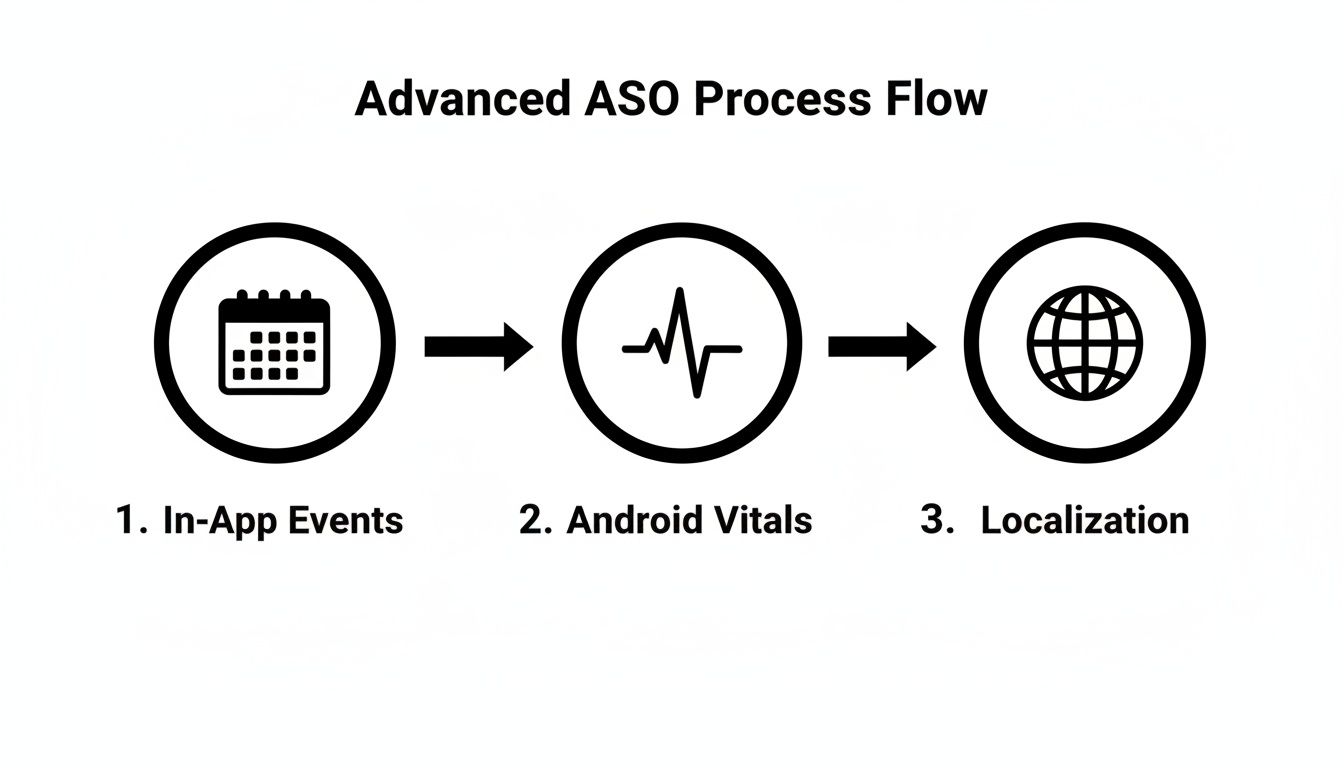
As you can see, a winning ASO for Google Play strategy goes way beyond basic metadata. It is a holistic system that connects marketing promotions, technical health, and global reach into one powerful growth loop.
Your Ratings and Reviews Are Your Social Proof
Let's be blunt: your app's rating is one of the most powerful conversion drivers on your entire store listing. It's instant social proof. A high rating builds immediate trust, while a low one can make a potential user bounce before they even read your description. Actively managing your ratings and reviews is not optional; it's a critical part of your optimization cycle.
The goal is two-fold: keep a steady flow of positive feedback coming in and tactfully handle any negative comments.
- Prompt for Positive Feedback: Use smart in-app prompts to ask happy users for a review. The key is timing. Don't interrupt them; ask after they've just accomplished something, like completing a level or finishing a workout.
- Respond to Every Review: Thank users for positive feedback, but more importantly, respond to negative reviews quickly and professionally. A thoughtful, helpful response can sometimes turn a frustrated user into a huge fan.
- Mine Reviews for Gold: Your reviews are a direct line to your users. They are an absolute goldmine of feedback. Look for patterns, like feature requests, bug reports, and points of confusion, that can directly inform your product roadmap.
A consistent stream of fresh, positive reviews does more than just boost your conversion rate. It also feeds Google's algorithm with valuable semantic data and user sentiment signals, reinforcing that your app is a high-quality product.
An ASO Checklist for Sustained Growth
To make this all manageable, you need a system. A recurring checklist breaks the huge task of "doing ASO" into consistent, repeatable actions for you or your growth team. Here is a framework you can steal and adapt.
Weekly ASO Tasks
Think of this as your weekly health check. It is about spotting and reacting to any sudden changes in your ASO performance.
- Monitor Keyword Rankings: Keep a close eye on your top 10-20 most valuable keywords. Did any rankings suddenly tank or shoot up? A big shift could be a competitor making a move or a quiet algorithm update.
- Check Android Vitals: Jump into the Google Play Console and look at your crash rates and ANRs (Application Not Responding errors). A new technical bug can absolutely crush your visibility, so catching these early is crucial.
- Scan Recent User Feedback: Read through the latest reviews. Are users reporting new bugs? Is there a common point of confusion you need to address in your onboarding or help docs?
Monthly ASO Tasks
Your monthly check-in is more strategic. This is where you analyze performance and decide what to test next.
- Analyze Your Competitors: Check out the store listings of your top 3-5 competitors. Did they change their icon? Update their screenshots? Tweak their description? Make notes of what they're testing to spot new trends.
- Dig Into Performance Data: It's time to go deep on your store listing analytics. How are your conversion rates looking? Which traffic sources are sending you the best users? This data is what fuels your next A/B test hypothesis.
- Plan Your Next A/B Test: Based on your analysis, come up with a clear hypothesis for a store listing experiment. Maybe you'll test a new feature graphic, a different value proposition in the short description, or a completely new style for your screenshots.
Quarterly ASO Tasks
The quarterly review is for big-picture strategy. It is about aligning your ASO efforts with your broader product roadmap.
- Conduct Fresh Keyword Research: The language your audience uses evolves. Re-run your keyword research to make sure your targets are still relevant and to uncover new search terms you might be missing out on.
- Refresh Creative Assets: Even your best-performing creatives can get stale over time. Plan a refresh of your screenshots or feature graphic to highlight new features or align with upcoming seasons or holidays.
- Review Your Localization Strategy: How are you performing in your key international markets? Are there opportunities to launch in new countries or to better culturalize your existing localized listings?
Why Regular App Updates Are Non-Negotiable
Finally, don't ever underestimate the power of regular app updates as a core part of your ASO for Google Play cycle. Frequent updates send a strong "freshness" signal to Google's algorithm.
It shows that your app is actively maintained and constantly improving. The data doesn't lie: a whopping 96% of the top 1000 apps are updated at least once a year, 75% update monthly, and 30% push an update every single week.
This isn't just about fixing bugs. As you can explore in these app update frequency statistics on 42matters.com, each update is a fresh chance to tweak your "What's New" text and reinforce your app's core value.
Common Questions About ASO for Google Play
Even with a detailed playbook, you're bound to have questions once you start getting your hands dirty with App Store Optimization. The Google Play Store is a living, breathing thing, and it’s smart to question things like timelines, tools, and what really works.
Let’s dive into some of the most common questions I hear from founders and growth teams trying to master Google Play.
How Long Does It Take to See ASO Results?
This is probably the number one question I get, and the answer is: you have to be patient. ASO is a marathon, not a sprint. It is all about building momentum, not flipping a switch for instant traffic like you would with paid ads.
For metadata updates, like tweaking your app title or short description with new keywords, you can sometimes spot changes in your keyword rankings in just a few days or a week. But the real, tangible impact on your organic installs? That usually takes 4 to 8 weeks to show up in the data. This window gives Google's algorithm enough time to crawl the changes, see how users react, and re-evaluate where your app deserves to rank.
Creative changes are a bit faster. If you’re using Google Play's Store Listing Experiments to A/B test a new icon or screenshots, you can often get a clear winner and see a conversion rate lift within a standard 7-day test.
The main thing to remember is that ASO is a long-term game. Each optimization you make stacks on top of the last one. It's that consistent, methodical effort over months, not days, that creates the flywheel effect for serious, lasting organic growth.
Should I Use AI Tools for My ASO Strategy?
You absolutely should. Think of AI tools as a force multiplier for your ASO efforts. They are fantastic for speeding up the heavy lifting, especially the parts that involve crunching a ton of data.
Take keyword research, for instance. An AI can sift through massive amounts of competitor data to surface keyword opportunities much faster than any human ever could. For content, AI can be a great starting point for drafting compelling, keyword-rich descriptions or brainstorming ideas for your "What's New" text.
But AI should be your co-pilot, not the pilot. Your expertise and oversight are non-negotiable. You are the one who needs to make sure everything aligns with your brand, is factually correct, and has the cultural nuance AI almost always misses. This is especially true for creative assets and localization.
So yes, use AI to accelerate your research and first drafts. But always let human judgment have the final say on strategy and quality.
What Is the Biggest ASO Mistake on Google Play?
Hands down, the most common and costly mistake is the "set it and forget it" mindset. I see it all the time: a team puts a ton of effort into optimizing their store listing for launch, and then they don't touch it again for months, or even years. That's a surefire way to watch your visibility tank.
The Google Play Store is constantly in motion. Your competitors are always trying new things, user search trends shift, and Google is forever tweaking its algorithm. A perfectly optimized store listing from six months ago is almost certainly out of date today.
The most successful apps treat ASO as a continuous cycle of monitoring, researching, and testing. If you can make that one mental shift, from viewing ASO as a one-time task to an ongoing process, you'll be ahead of 90% of the competition.
How Important Are Ratings and Reviews for ASO?
They are massively important. Don't underestimate them. Ratings and reviews are a huge ranking signal for Google Play and they directly influence just about every ASO metric you care about.
Here is how they work their magic:
- Social Proof: First, your average star rating is a giant conversion signal. An app with a 4.5-star rating just feels more trustworthy and is way more likely to get the install than one sitting at 3.5 stars.
- Activity Signal: The sheer volume and frequency of new reviews tell Google that your app is alive and kicking, with an active user base.
- Semantic Clues: This is the one people often miss. The words inside user reviews give Google a constant feed of semantic keywords and sentiment data. The algorithm learns what your app is really about and how users feel about it directly from the source.
Actively managing your ratings and reviews, by encouraging feedback and responding thoughtfully to users, is one of the highest-impact things you can do in your entire ASO strategy.
Ready to stop guessing and start growing? Adworkly combines expert human strategy with powerful AI to build scalable user acquisition engines for mobile apps. We help you master ASO, creator-led UGC, and performance marketing to get your customer growth on autopilot. Learn how we build viral distribution for apps like yours at Adworkly.co.