
 UGC Infra
Mastering App Store Optimization Google Play
A complete guide to app store optimization google play. Learn keyword strategy, visual design, A/B testing, and growth tactics to boost your downloads.
App Store Optimization on Google Play is all about making your app more visible so you can get more organic downloads. Think of it as SEO for the Play Store. It involves a mix of art and science. You use the right keywords in your title and descriptions, but also create eye-catching icons and screenshots that convince people to hit "Install."
Done right, it's the engine for your app's organic growth.
Why ASO Is Your Key to Google Play Success
Getting your app listed on the Google Play Store is just the starting line. With millions of other apps vying for attention, just showing up isn't enough to get noticed. This is where a sharp app store optimization google play strategy comes in, moving you from invisible to unmissable. Without it, even the most innovative app can disappear into the crowd.
Solid ASO also directly helps your budget. By getting users to find your app on their own through search, you can cut back on expensive ad campaigns. This playbook will walk you through everything you need to know to build a consistent, cost-effective stream of high-quality installs.
Thriving in a Competitive Landscape
The Google Play Store is a huge, constantly shifting ecosystem. As of 2025, there are around 2.06 million apps available, but that number can be misleading. In 2024 alone, Google delisted roughly 1.8 million apps, which tells you a lot about its focus on quality and user safety.
This curation is a good thing for users, but it raises the bar for developers. Only the best-maintained and most thoughtfully optimized apps survive and succeed. Your ASO strategy needs to align with what both Google's algorithm and real people are looking for.
In today's Play Store, ASO isn't just a marketing extra; it's a core requirement for survival. It’s how you prove your app’s quality and stand out to the right audience.
The Core Pillars of Google Play ASO
A great ASO strategy isn't about one single trick; it's about optimizing several interconnected parts of your store listing. We’ll dive deep into each of these areas, giving you practical, actionable steps along the way. You can get a primer on the basics in our article about what is App Store Optimization here: https://adworkly.co/blog/what-is-app-store-optimization
Here’s what we'll be covering:
- Keyword & Metadata Optimization: Finding the keywords that matter and strategically placing them in your title, short description, and long description to climb the search rankings.
- Visual Asset Conversion: Crafting an icon, screenshots, and promo video that not only look good but also tell a story and drive installs.
- User Feedback & Engagement: Learning how to manage ratings and reviews to build trust and signal quality to the Play Store algorithm.
By working on each of these areas, you create a powerful growth loop. To take your skills to the next level and truly Master ASO on Google Play, you need to use every tool and tactic at your disposal.
Optimizing Keywords and Metadata for Google Play
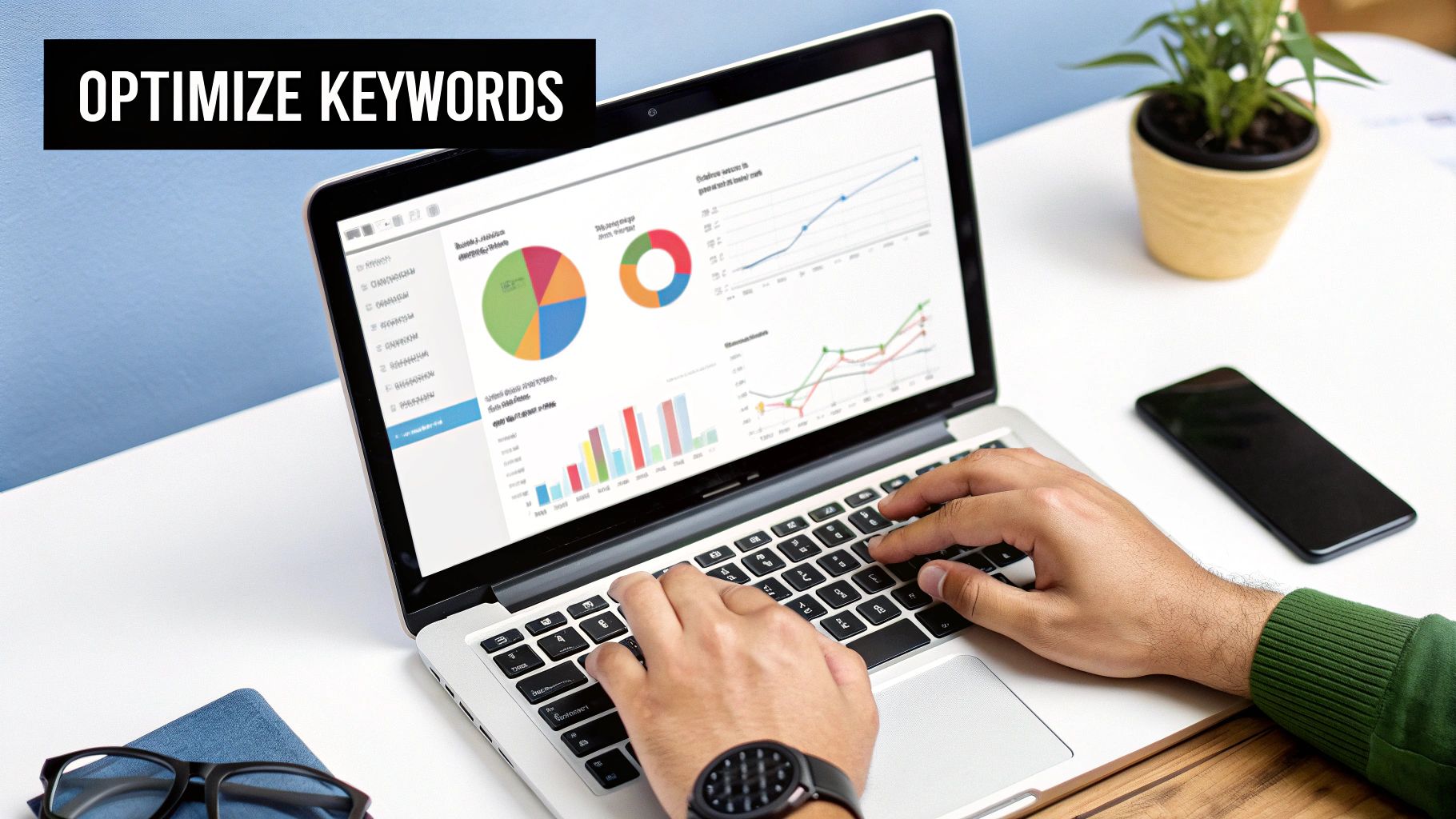
Alright, this is where we roll up our sleeves and get into the nitty-gritty of Google Play ASO. Forget what you know about Apple’s structured keyword fields. Google's algorithm behaves much more like its classic web search engine, which is great news for us. It means it indexes nearly all the text on your store listing, giving us more real estate to work with.
The trick is finding that sweet spot. You need to unearth the high-impact keywords real users are typing in and then weave them naturally into your store listing. It’s a two-part mission: first, teach the algorithm what your app is all about, and second, convince a human that your app is the one they need to install.
Finding Your Most Valuable Keywords
Before you write a single word, you need a solid list of keywords. A great keyword has high relevance to what your app actually does, a healthy amount of search traffic, and competition you can realistically beat. Don’t just guess what people are searching for, because that’s a recipe for failure. Use data.
Start by brainstorming. Jot down every term you can think of that describes your app's core functions and the problems it solves for users. Put yourself in their shoes: what would they type into that little search bar to find an app just like yours?
With a starting list in hand, it’s time to expand your arsenal:
- Spy on Your Competitors: Check out the top-ranking apps in your niche. What words are they using in their titles and descriptions? ASO tools can reveal the exact keywords they're ranking for, giving you a proven list of terms to consider for your own strategy.
- Lean on ASO Tools: Platforms built for ASO like Sensor Tower or AppTweak are indispensable. They provide keyword suggestions, traffic estimates, and difficulty scores that help you prioritize which terms are worth fighting for.
- Don't Overlook Google's Own Kit: Google gives you some powerful tools for free. Google Keyword Planner can give you a sense of search volume, while Google Trends is brilliant for spotting seasonal interest and breakout topics.
Strategic Keyword Placement in Metadata
Once you've got a prioritized list of keywords, you have to know where to put them. While Google Play scans several fields, some carry far more weight than others. Mastering placement is a cornerstone of any effective app store optimization google play strategy.
Your App Title is your heavyweight champion for keyword ranking. Placing your most important keyword here sends the strongest possible signal to the algorithm. You only have 30 characters, so make them count. A classic, effective formula is "Brand Name: Primary Keyword" or "Brand Name: Key Feature."
Next up is the Short Description. With 80 characters, this is your elevator pitch. It’s your chance to expand on your core value proposition while working in your top one or two secondary keywords. This text is incredibly visible to users and heavily influences both your search ranking and their decision to tap "install."
Your App Title and Short Description are the one-two punch of Google Play ASO. They have the greatest impact on search rankings and are the first things a user reads. Get these right, and you’re already ahead of the game.
To help you keep track, here's a quick checklist for your most important text fields.
Google Play Metadata Optimization Checklist
This table is a handy reference for optimizing the core text elements of your Google Play Store listing.
Getting these three elements right forms the foundation of your entire on-page ASO effort.
Optimizing Your Long Description
Think of your Long Description as your app’s full sales page. With a generous 4,000 characters, you have plenty of room to dive deep into features, benefits, and real-world use cases, all while targeting a broad set of long-tail keywords.
Unlike on the App Store, Google actually indexes this entire field. This is your opportunity to strategically place all those relevant keywords that couldn't make the cut for your title or short description. But a word of caution: avoid "keyword stuffing," which is the practice of just jamming in keywords unnaturally. Google's algorithm is smart enough to see through it, and it will only harm your rankings and turn off potential users.
The key is to write for humans first, algorithm second. Structure it for scannability.
- Use HTML: Google Play supports basic HTML like
<b>for bolding text and<h2>for headings. Use them. It breaks up the wall of text and draws the user's eye to key benefits. It's also believed that text within these tags gets a slight indexing boost. - Add Emojis and Symbols: A well-placed emoji (like ✅ or 🚀) can add personality and make your feature list pop. Simple ASCII symbols like a bullet point (•) are also fantastic for creating clean, organized lists.
- Talk Benefits, Not Just Features: Don't just list what your app does. Explain how it helps the user. Frame every feature as a solution to a problem they have.
A well-crafted long description doesn't just help you rank for more keywords; it's a critical tool for converting a curious visitor into a loyal user.
Designing Visuals That Drive Downloads
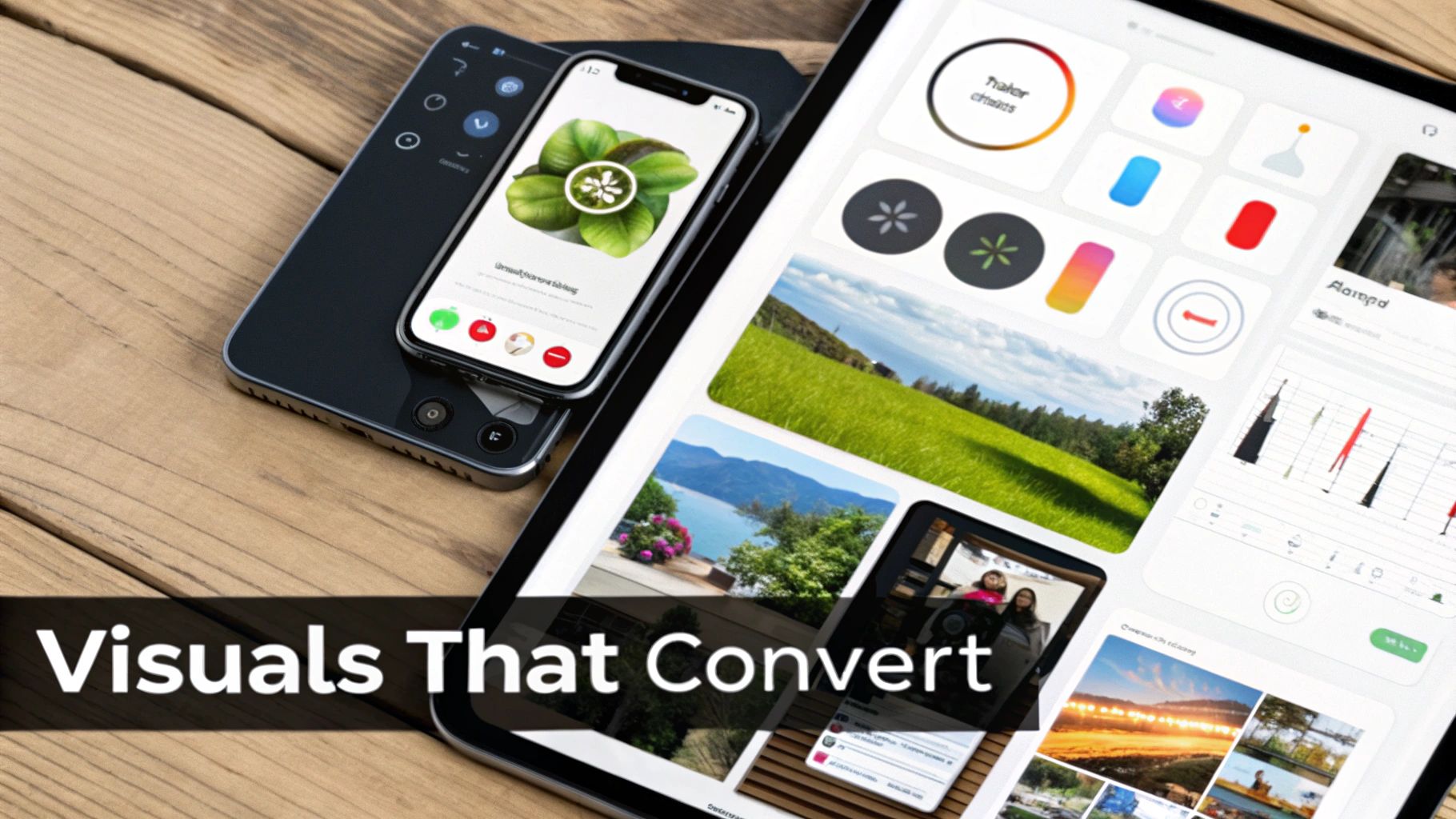
While your keywords and descriptions get your app discovered, your visuals are what actually seal the deal. Think about it: a user lands on your page and makes a snap judgment in seconds. In that moment, your creative assets are doing all the talking.
Getting your visuals right isn't just about looking slick; it's a powerful conversion tool that can seriously boost your install rate. This part of your app store optimization google play strategy is all about turning those impressions into downloads. From the icon that first catches their eye to the screenshots that tell a story, every visual element has a job to do.
Creating an Icon That Stands Out
Your app icon is arguably the single most important piece of visual real estate you have. It's the first thing users see in search results, on category pages, and it’s what they'll see on their home screen every day if they install. A great icon has to be instantly recognizable and communicate what your app is all about without a single word.
Think of it as your app's tiny billboard. It has to be simple enough to be clear at a tiny size but distinctive enough to stand out from a sea of competitors. Ditch the text or overly complex designs, because they just become a blurry mess on a phone screen. Your best bet is to focus on a bold, singular graphic that embodies your brand.
Here’s what I’ve seen work best for high-performing icons:
- Keep it simple. Focus on a single, clear object or symbol that gets your app's core idea across.
- Use vibrant, contrasting colors. Your icon will appear against all sorts of wallpapers and system themes (light and dark modes), so make sure it pops everywhere.
- Test for scalability. Make sure it looks sharp and clear whether it's a tiny notification icon or blown up on the full Play Store listing.
Designing Persuasive Screenshots
Screenshots are your chance to give users a guided tour of your app’s best features. But their goal isn't just to show what your app looks like; it's to demonstrate the value it provides. Frame them like a storyboard, walking a potential user through a key benefit or workflow.
The first two or three screenshots are absolutely critical since they're visible above the fold. Use this prime real estate to hammer home your app's core value proposition. And please, don't just upload raw UI captures. Add some polish with text overlays and graphics that provide context and call out specific benefits.
A classic rookie mistake is simply showing off features. A much better approach is to frame your screenshots around solving a user's problem. Every image should answer the user's silent question: "What's in it for me?"
For example, a fitness app shouldn't just show a screen with a calorie counter. A better screenshot would overlay text that says, "Track Your Meals in Seconds," clearly communicating the benefit of speed and ease. That subtle shift takes it from a feature to a tangible outcome. If you're looking for more tips on creating compelling visuals, check out our guide on ad creative.
Using a Promo Video to Capture Attention
A promo video is your most dynamic asset, period. It sits right before your screenshots and can even autoplay (muted) for users browsing the store, making it a fantastic tool for grabbing attention. The key is to keep it short, punchy, and focused on action. Aim for a sweet spot of 15 to 30 seconds.
Those first few seconds are everything. You have to hook the viewer immediately with compelling visuals showing real in-app usage. Skip the slow, branded intros and marketing fluff. Jump straight into the action to demonstrate how your app solves a problem or delivers a great experience.
To get the most out of your promo video:
- Show, don't just tell. Use screen recordings of your app in action. This makes the benefits feel real and immediate.
- Design for sound-off. Since many videos autoplay on mute, use on-screen text and clear visual cues to get your message across without needing audio.
- End with a clear call to action. Wrap it up with a simple, direct message like "Download Now and Start Your Journey!" to encourage that final tap.
By dialing in each of these visual elements, you create a cohesive and persuasive store listing that doesn't just attract eyeballs. It gives people the confidence they need to hit that install button.
Boosting Rankings with User Engagement Signals
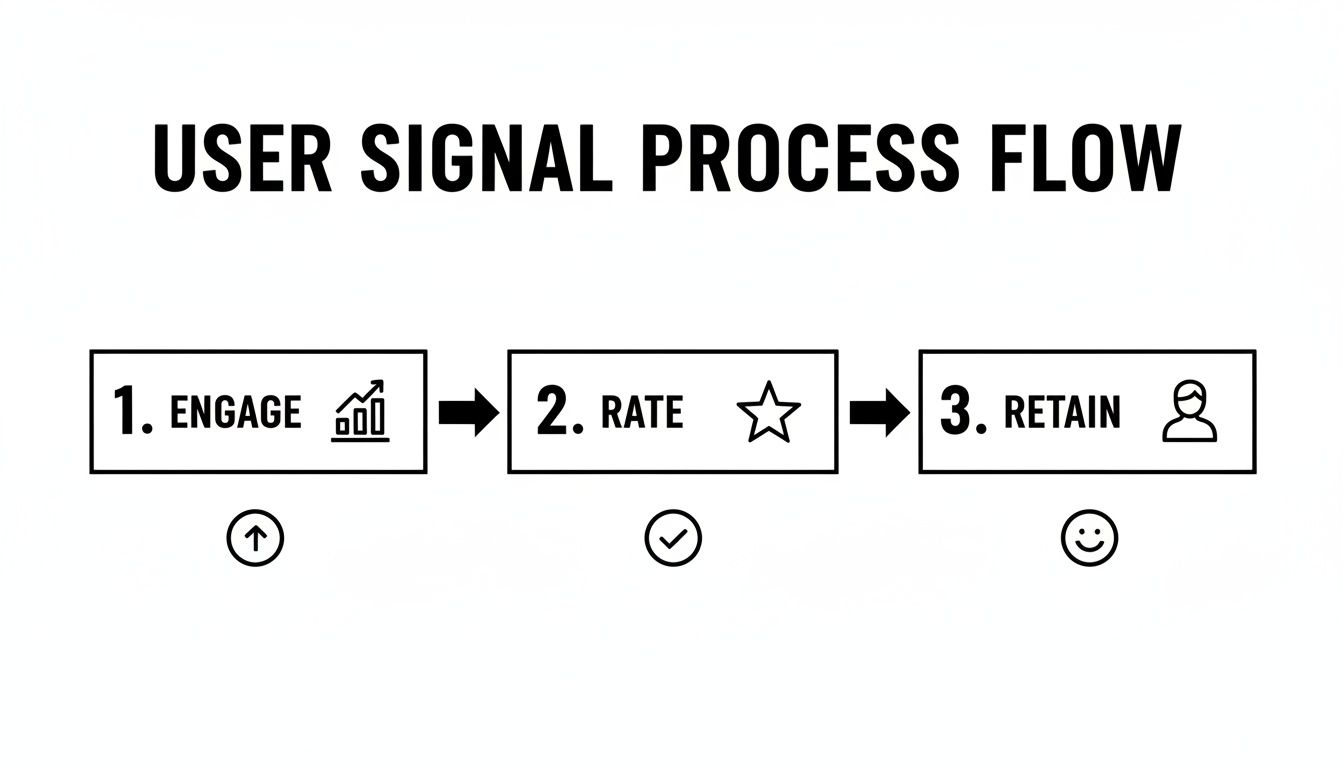
In the early days of Google Play, the game was simple: more downloads meant higher rankings. Not anymore. That strategy is completely obsolete today. Google's algorithm has gotten much smarter, shifting its focus from raw install numbers to genuine user satisfaction. This means your ASO efforts can't stop at the store listing; they have to bleed into the actual in-app experience.
The algorithm now watches how people actually use your app after they hit that install button. Strong engagement signals, like high retention rates and a flood of positive reviews, tell Google your app delivers on its promises. On the flip side, poor signals, especially quick uninstalls, send a clear message that your app isn't meeting expectations. That can directly tank your visibility.
Understanding the Metrics That Matter
Google isn't just looking at one or two data points. It analyzes a whole cocktail of behavioral signals to get the full picture of your app's quality. In 2025, the algorithm is digging deep into sophisticated metrics like install velocity, user retention, session length, and active user counts.
One of the most critical signals is the uninstall rate. If people are deleting your app shortly after installing it, the algorithm sees that as a huge red flag for poor quality or a misleading description, and your rankings will suffer. You can learn more about how these signals impact your visibility by reading the full explanation on Semnexus.com.
To get a real handle on how users are behaving in your app and measure the impact of your changes, you'll need to use robust analytics tools for mobile apps.
The Undeniable Power of Ratings and Reviews
Your star rating and the reviews users leave are some of the most visible and influential factors in your ASO strategy. They're instant social proof. Think about it: an app with a 4.6-star rating and glowing reviews will almost always win against a similar app sitting at 3.2 stars.
But it goes deeper than that. Google’s algorithm actually reads the text in your user reviews. It uses the language to better understand your app's context and relevance. A review that mentions "easy meal planning" for your nutrition app is another signal that reinforces your keyword strategy.
Managing this feedback can't be a passive task. You need a game plan.
- Ask for Reviews at the Right Time. Don't be that app that begs for a review on the first launch. Prompt users after they’ve had a "win," like completing a key task or reaching a new level.
- Respond to Everyone. Thank users for positive reviews, but more importantly, address the negative ones. A thoughtful, public response shows you care and can sometimes even convince an angry user to update their rating.
- Mine Reviews for Gold. Your reviews are a direct line to your users. They're an invaluable source of feedback for bug reports, feature ideas, and even the exact words your audience uses to describe your app.
Your app's rating is a direct reflection of its health. Consistently maintaining a rating above 4.5 stars is a powerful signal to both users and the algorithm that your app is a high-quality product worth featuring.
Technical Performance is an ASO Factor
Don't forget about what’s under the hood. Your app's technical health is a huge piece of the ASO puzzle. Google wants to promote apps that are stable, fast, and don't drain a user's battery. Frequent crashes or slow load times create a terrible experience, which leads directly to bad reviews and high uninstall rates.
Google tracks this stuff directly through Android Vitals in your Play Console. Keep a close eye on two metrics in particular:
- ANR Rate (Application Not Responding): This tracks when your app freezes up and becomes unresponsive.
- Crash Rate: This measures how often your app unexpectedly closes on users.
A high rate for either of these is a major red flag for the algorithm. An app that just works is far more likely to retain users and, as a result, rank higher.
One last technical factor that's easy to overlook is app size. In many parts of the world, users are dealing with limited data plans and device storage. A smaller APK or app bundle can dramatically increase your installs and lower your uninstalls. A great goal is to keep that initial download as lean as possible. You can always offer bigger features as on-demand downloads later. By focusing on these engagement and technical signals, you complete the ASO loop, ensuring users not only discover your app but absolutely love using it.
Ditch the Guesswork: Running Experiments in Google Play Console
Stop wondering which icon or screenshot will perform better. Guesswork is the enemy of effective app store optimization, and thankfully, Google gives us a powerful tool to eliminate it: Store Listing Experiments. This feature inside the Play Console lets you A/B test nearly every part of your listing, turning optimization from an art into a data-driven science.
Running these controlled experiments is how you systematically improve your conversion rates. It takes personal bias and "I think this looks better" out of the equation, ensuring every change you push live is a measurable step forward. This is the secret to continuous, data-backed growth.
Setting Up Your First Experiment
Getting an experiment off the ground is pretty straightforward. You're essentially creating a new version (a "variant") of a store listing asset and showing it to a slice of your audience to see if it outperforms the original. You can test your app icon, feature graphic, screenshots, promo video, and even your descriptions.
But a good experiment never starts with a random idea. It starts with a clear hypothesis. You need to ask a specific question. For instance:
"Will changing our main screenshot to feature our new 'Quick Plan' tool increase installs by highlighting a key user benefit?"
This kind of focused approach is what separates tests that generate noise from tests that produce real, actionable insights.
When you're ready to build the test, you'll define a few key things:
- What you're testing: Is it the icon? A new set of screenshots? The short description?
- Your variants: You can run up to three different versions against your current one.
- Your audience split: You decide what percentage of visitors see the experiment. A 50/50 split is a classic for a reason. Half see the original (the control), and half see your new variant.
How to Interpret Your Results Correctly
Once your experiment is live, the Play Console starts crunching the numbers. It tracks views and, most critically, installs for each version. Google’s system then projects which variant is most likely to win out over time.
Patience is a virtue here. I know it’s tempting to call a winner after just a day or two, but that’s a recipe for making bad decisions based on incomplete data. You have to let the experiment run long enough to hit statistical significance. That’s the point where you have enough data to be confident the results aren't just a fluke. Don't worry, the console will tell you when it has confidently identified a winner.
Here's a pro tip: Don't stop after one successful test. The best ASO strategies are built on continuous, sequential experiments. Your winning variant becomes the new control group, and you start testing fresh ideas against it. Always be testing.
Best Practices for Effective Testing
Getting meaningful results from your experiments comes down to a few core principles. Sticking to these practices will help you gather clean data and generate reliable insights that benefit not just your ASO, but your entire mobile app user acquisition funnel.
Here are a few rules I always follow:
- Test One Thing at a Time: If you change your icon and your screenshots in the same test, you'll never know which change actually moved the needle. Isolate your variables to get clean, unambiguous results.
- Let It Run: Aim for at least a full week for any experiment. This helps smooth out any weirdness from weekend vs. weekday user behavior.
- Localize Your Experiments: An icon that crushes it in the United States might completely flop in Japan. Always run separate, localized experiments for your most important markets to find what truly resonates with different cultures.
Got Questions About Google Play ASO? We've Got Answers.
When you're first getting into the weeds of app store optimization, a few key questions always seem to pop up. Getting straight answers to these can be the difference between a strategy that works and one that just spins its wheels.
Let's clear the air and tackle some of the most common things I hear from developers and marketers about timelines, budgets, and how ASO really fits into the bigger picture.
How Long Until I Actually See ASO Results?
This is probably the number one question I get, and the honest answer is: it takes patience. ASO isn't like flipping a switch on a paid ad campaign. It's a long-term play, more like building a reputation than buying a billboard.
After you push an update to your store listing, you have to wait for Google’s algorithm to crawl, re-index, and figure out where you fit. This isn't instantaneous.
- First Murmurs (2-4 Weeks): You might start to see some minor movement in your keyword rankings. Don't expect the floodgates to open, but these are the first signs that the algorithm has noticed your changes.
- Real Momentum (2-3 Months): This is where consistent effort starts to pay off. You should see a noticeable uptick in your visibility and, more importantly, your organic installs.
- Compounding Growth (6+ Months): After half a year of steady, data-driven updates, you're not just optimizing; you're building authority. The positive user signals, reviews, and stable rankings create a powerful growth engine that starts to sustain itself.
What's the Real Difference Between Optimizing for Google Play vs. Apple?
If you only remember one thing, remember this: Google Play behaves like a search engine, while Apple’s App Store acts more like a rigid database. This single difference changes everything about your approach.
Google Play's algorithm is smart and indexes nearly all the text on your listing page. We're talking title, short description, the full long description, your developer name, and even the text within user reviews. This gives you a massive canvas to work with. The winning strategy here is to weave in keywords naturally within well-written, relevant copy.
Apple, on the other hand, is much more surgical. It puts immense weight on just a few specific fields: the App Name, the Subtitle, and a dedicated 100-character keyword field. There's no room for fluff. It’s all about getting the most impactful keywords into a very small, specific space.
On Google Play, you're writing comprehensive, descriptive content for an algorithm that reads everything. On the App Store, you're performing laser-focused keyword surgery in a few specific spots.
Should I Run Paid Ads to Help My ASO?
Yes. A thousand times, yes. Thinking of paid user acquisition (UA) and ASO as separate things is a huge mistake. They’re two sides of the same coin, creating a growth loop where each one makes the other stronger.
When you run a smart UA campaign, you're not just buying installs; you're sending a flood of positive signals to the Play Store algorithm. A sudden spike in targeted downloads tells Google, "Hey, people want this app!" This can give your organic keyword rankings a serious jolt.
The loop works both ways. A well-optimized store listing makes your ads perform better. When a user clicks your ad, they land on a page with a compelling icon, convincing screenshots, and strong social proof. This means more of those clicks turn into actual installs, boosting your conversion rate and lowering your overall customer acquisition cost (CAC).
How Big of a Deal Is Localization, Really?
Localization is one of the most powerful and criminally underrated growth tactics in the ASO playbook. If your app could have a global audience, skipping localization is like leaving a pile of cash on the table. And it’s so much more than just running your description through a translator.
True localization means adapting your entire store presence for each market. You need to research local keywords, adjust your title and messaging, and even update your screenshots to reflect cultural norms and expectations. This builds trust and makes users in that country feel like the app was made for them.
A keyword that’s a home run in the U.S. might be a total dud in Germany or Brazil. A visual that works in North America might be confusing or even offensive in Japan. Thankfully, Google Play makes it pretty straightforward to create custom store listings for different countries, giving you all the tools you need to do this right.
Ready to stop guessing and start growing? Adworkly combines expert strategy with AI-powered execution to build scalable user acquisition systems for mobile apps. Let us design the growth engine that gets your app discovered.