
 UGC Infra
A Guide to Create TikTok Ads That Drive App Downloads
Discover how to create TikTok ads that actually convert. This guide provides actionable strategies for setup, creative, and optimization for app marketers.
If you're looking to drive app downloads, you have to get your head around TikTok's unique world and its seriously engaged user base. It's not just about setting up a campaign in TikTok Ads Manager and choosing "App Installs." Real success comes from creating those native, authentic-style videos that feel right at home on the platform and connect with users instantly. It all boils down to making the algorithm work for you and using its powerful targeting to find your ideal audience.
Why TikTok Is Your App's Next Growth Engine
Let's look past the dance challenges and viral trends for a second. For anyone marketing an app, TikTok is a powerful, and frankly, often underestimated channel for growth. The way it works is fundamentally different from other social platforms, which opens up some incredible opportunities to find new users. Whether your app is for fitness, finance, productivity, or gaming, TikTok can help. Think of it less as an entertainment app and more as a massive discovery engine.
To really tap into TikTok's potential, you have to know how to create video ads that actually convert. This isn't the place for overly polished, high-production ads. TikTok's audience values authenticity above all else. I’ve seen it time and time again: a simple, genuine video shot on a phone can easily outperform a slick, big-budget commercial if it feels real and offers something of value.
The Power of Algorithmic Discovery
The secret sauce to TikTok's magic is its algorithm. Other platforms are built around your social graph, which means they focus on who you follow. But TikTok’s "For You" page is all about interest-based content discovery. This completely levels the playing field. Here, the quality of your creative is what matters, not how many followers you have.
This is a total game-changer for app marketers. It means your ad could potentially reach millions of relevant users practically overnight if it hits the right note, even if your brand has zero presence on the platform. This creates a fantastic growth loop: compelling ads drive installs, and those installs feed data back to the algorithm, making your targeting even sharper. You can get a deeper dive into how this works in our guide to social media targeted advertising.
Unprecedented Reach and Engagement
The numbers behind TikTok are just staggering, and they directly translate into a huge opportunity for user acquisition. With revenue projected to hit $33.1 billion in 2025, its power in the ad space is undeniable. For app creators, that means an audience of 1.59 billion monthly active users around the globe.
Just in the U.S., you're looking at 170 million users logging in every month, many of whom spend hours a day scrolling. The platform's audience is also a lot more diverse than you might think.
A surprising 32.9% of the ad audience is over 35, which opens the door for apps that go way beyond the Gen Z market. This massive, highly engaged user base is ready to discover new things, making TikTok the perfect place to bring down your customer acquisition costs.
Building a Solid Foundation in TikTok Ads Manager
A great TikTok campaign isn't just about a viral video; it's built on a rock-solid technical setup. I’ve seen countless brands with amazing creative fall flat because they rushed this part. Before you even think about your first ad, your priority has to be the TikTok Ads Manager.
Getting signed up is easy, but what you do next is what really counts. The single most important first step is installing the TikTok Pixel.
Think of the Pixel as your direct line of communication with TikTok's algorithm. It's a tiny snippet of code that goes on your website or gets connected to your app, and it reports back on what users do after they click your ad.
Without it, you're flying blind. You won't know if your ads are actually driving purchases, sign-ups, or app installs. Even worse, TikTok’s algorithm won’t get the feedback it needs to find more people like your best customers. It's a non-negotiable.
This whole process is about guiding users from discovery to action. It’s a funnel.
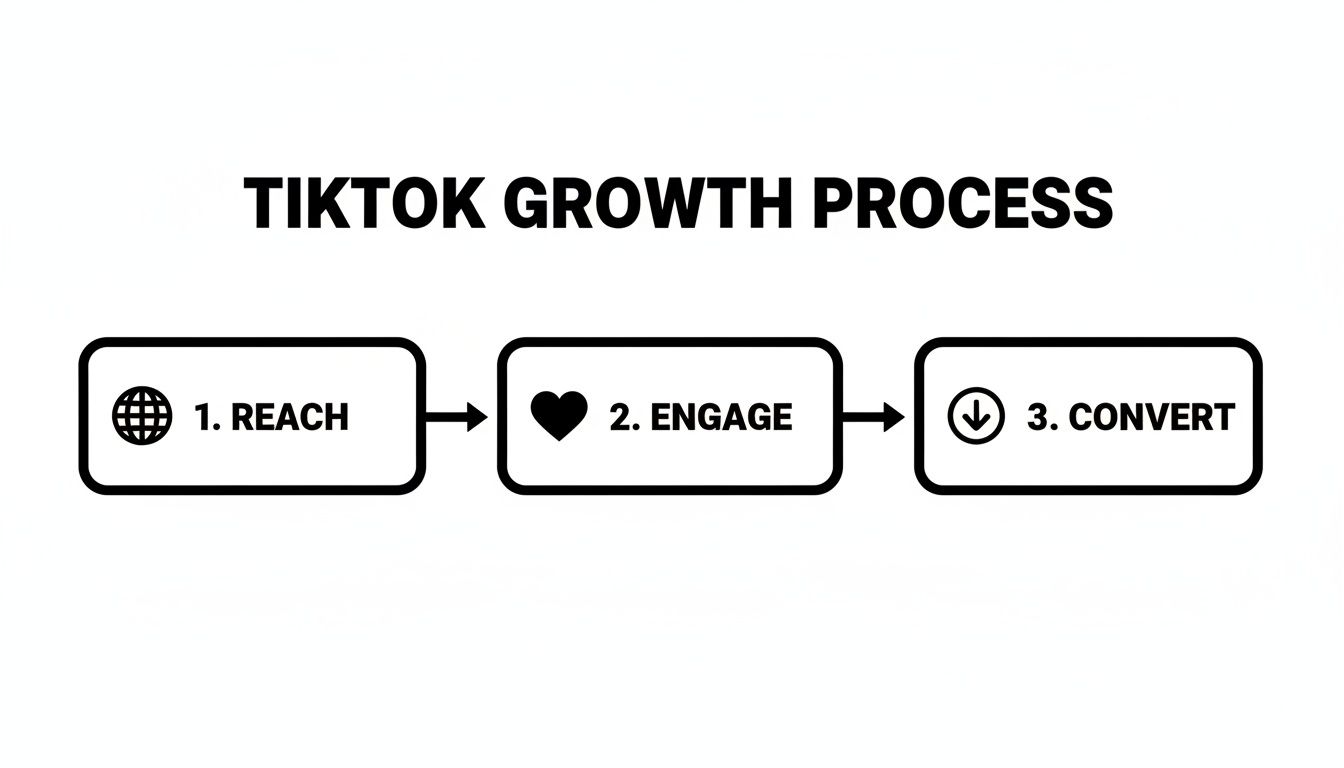
As you can see, you start by getting in front of people, then you grab their attention, and finally, you drive them to take that all-important next step.
Defining Your Most Important Events
Once your Pixel is live, you need to tell it what to look for. This is where you define your conversion events. This isn’t about just tracking a simple page view; you need to pinpoint the exact actions that mean business for your app.
What does success actually look like?
- For a fitness app, a key event might be a user completing their first workout.
- A language learning app could track when someone finishes their first lesson.
- For a SaaS tool, it could be starting a free trial or creating a new project.
Setting up custom in-app events gives you visibility into what truly matters. It allows you to measure user actions that directly correlate with your business goals, providing a much clearer picture of your return on ad spend.
These specific events are the high-quality signals that TikTok's algorithm craves. When you track these deeper, more meaningful actions, you're essentially training the platform to find more users who won't just install your app but will actually stick around and become valuable customers.
Take your time here. A simple mistake like misconfigured events or a poorly placed Pixel will feed the algorithm bad data from the very beginning, and that’s a hard problem to fix later on.
Alright, let's dive into building your first campaign. With all the technical prep work out of the way, this is where the fun begins.
Structuring Your First App Install Campaign
The first thing to get your head around is how TikTok Ads Manager organizes everything. It’s a simple, three-tiered system: at the very top, you have your Campaign. Nestled under that are your Ad Groups, and inside each of those, you'll find your individual Ads. Simple.
Think of the Campaign level as your mission statement. For anyone marketing an app, this is a no-brainer. You’ll choose App Promotion as your objective.
This isn't just a box to check. By selecting App Promotion right from the start, you're telling TikTok's powerful algorithm exactly what you want: users who will actually download your app. You're not paying for vanity metrics like views or clicks; you're focused on the one action that grows your user base. It's a small click that has a huge impact on your results.
Defining Your Ideal User with Targeting
Now we move down to the Ad Group level. This is where you get to play matchmaker and tell TikTok precisely who should see your ads. The platform's targeting tools are incredibly sharp, letting you go way beyond just age and location.
The real magic happens when you start layering interests and behaviors.
- Interests: This lets you find people who are into categories relevant to your app, like "Games," "Productivity," or "Photo & Video."
- Behaviors: Here, you can target users based on how they act on TikTok. Think about reaching people who’ve recently watched videos to the end in your category or engaged with content from specific creators.
Let’s say you’re pushing a new mobile fitness app. Instead of just targeting a broad age group, you could zero in on users who’ve recently interacted with videos using hashtags like #workoutmotivation or followed major fitness influencers. This kind of specific targeting means your ad budget is spent on people who are already warmed up to what you’re offering.
For a deeper dive into finding the right users, check out our guide on effective mobile app user acquisition strategies.
Demystifying Budgeting and Bidding
Last but not least, you need to set the rules for spending your money. This part can feel intimidating for newcomers, but it’s actually pretty straightforward. You’ll set a budget (either daily or a lifetime total) and then pick a bidding strategy.
Let’s talk about bidding. This is how you tell TikTok how to compete in the ad auction. For app install campaigns, your choice here directly impacts both your cost and your scale.
Choosing Your TikTok Ad Bidding Strategy
Each strategy serves a different purpose. Lowest Cost is fantastic when you're just launching. It lets the algorithm go to work, bringing in as many installs as it can for your budget. You’re essentially telling TikTok, "Get me the most bang for my buck."
On the other hand, Cost Cap is for when you have your numbers dialed in. It gives you direct control over your unit economics by setting a ceiling on what you’ll pay for each new user.
This level of control is a huge advantage, especially when you consider that advertisers on TikTok see an average return of 2 in revenue for every 1 invested. Getting your bidding right is key to hitting, and hopefully beating, that benchmark. You can discover more about TikTok's impressive marketing statistics to see just how effective the platform can be when managed well.
Developing Ad Creative That Resonates
You can get all the technical settings right, perfect targeting and optimized bidding, but on TikTok, your creative is what truly makes or breaks a campaign. Let’s be blunt: if your ad looks like a polished, traditional commercial, people will scroll past it in a heartbeat. The real secret to success is creating content that feels like it belongs on the "For You" page.
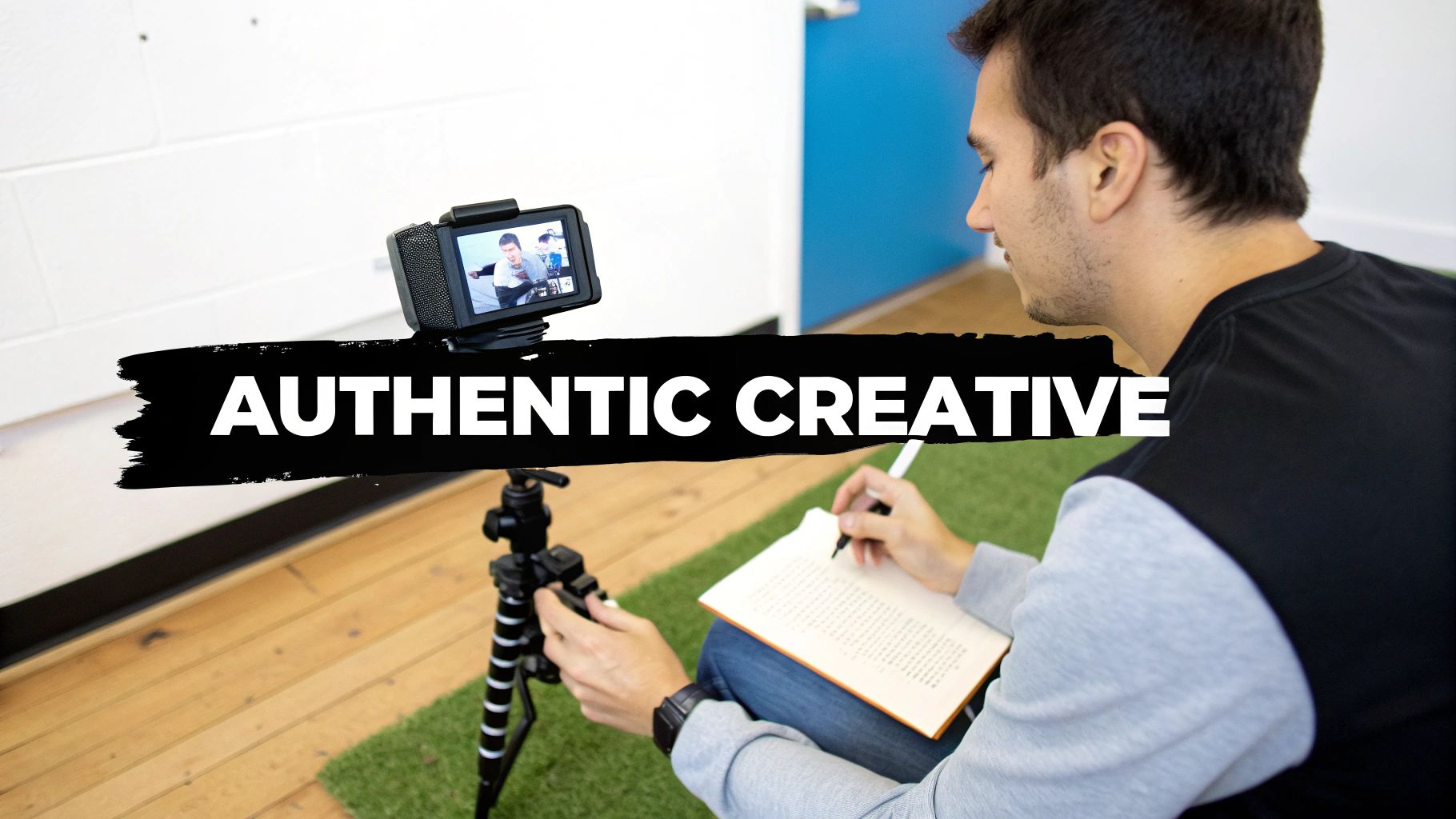
This often means ditching the high-production gloss for something more raw and real. I’ve seen it time and time again: the ads that crush it are the ones that don't even feel like ads. They tap into user-generated content (UGC), feature relatable people, and speak the platform’s native language.
Embrace the Native Feel
Your primary goal is to blend in. Think about the organic videos that stop your scroll. They're usually simple, shot on a phone, and get straight to the point. This low-fi approach builds instant trust with a savvy audience that can spot slick marketing from a mile away.
Here’s a real-world example: an ad for a fitness app showing a regular person struggling through a workout in their messy living room will almost always beat a cinematic video of models in a pristine gym. Why? The first one is relatable. The second feels staged and out of touch. Before you even start filming, it’s a smart move to see what's already working. You can even use spy tools on TikTok ads to find winning products) to get a feel for creatives that are currently getting traction.
The Anatomy of a High-Performing TikTok Ad
While there's no single magic formula, the best-performing TikTok ads tend to follow a similar blueprint. If you build your videos around these core elements, you’ll drastically improve your chances of connecting with your audience and driving action. We dive even deeper into this in our full guide on designing powerful ad creative.
For now, here’s a practical checklist to keep handy:
- The Hook (First 3 Seconds): This is your entire window. You have less than 3 seconds to stop the scroll. Start with a bold statement, a weird visual, or a question that piques curiosity. Ditch the slow intros and logos.
- Problem & Solution: Quickly tap into a pain point your audience knows well. Then, immediately position your product as the clear and simple solution.
- Authentic Demo: Show, don't just tell. Use screen recordings or simple point-of-view shots to show your product in action. Focus on the one or two features that deliver the most value.
- Trending Sounds & Effects: Tapping into a popular audio track or a trending filter is the fastest way to make your ad feel current. Keep an eye on the TikTok Creative Center to see what’s hot.
- Strong Call-to-Action (CTA): Tell people exactly what to do next. Use a verbal CTA ("Download now!") and on-screen text to drive them toward that install button.
Remember, authenticity is everything. TikTok users connect with real stories and content they can relate to. Your ad should feel less like a sales pitch and more like a genuine recommendation from a friend.
Following this approach does more than just boost your ad’s performance. It feeds the algorithm valuable data, helping it find more users who are likely to engage. When you create your ads, always, always put the user's experience first.
Analyzing and Optimizing Campaign Performance
You’ve hit the launch button, which is great. But this is where the real work begins. The first few days of a campaign are all about letting the algorithm learn and gather data, not about immediate returns. Now, you need to switch gears from creator to analyst and start turning those numbers into smart decisions.
This is the process that separates the campaigns that fizzle out from the ones that become predictable growth engines. It’s about knowing what to look for, understanding what the data is telling you, and having the confidence to act on it.

Focusing on Key Performance Indicators
When you open your TikTok Ads Manager dashboard, you're hit with a wall of data. It's easy to get distracted by vanity metrics like views or likes, but for an app install campaign, those numbers don't pay the bills.
You need to laser-focus on the KPIs that actually impact your bottom line.
For app advertisers, it really boils down to a few core metrics that tell the full story of cost, efficiency, and, most importantly, profitability.
Your goal isn't just to get installs; it's to acquire valuable users profitably. By focusing on these core KPIs, you can make data-driven decisions that align directly with your business objectives.
I've put together a table of the most critical metrics you should be tracking for any app install campaign.
Key Metrics for TikTok App Install Campaigns
Here's a breakdown of the essential metrics to monitor in TikTok Ads Manager to measure the success and efficiency of your app campaigns.
Keeping a close eye on these numbers is non-negotiable. They are the health indicators of your campaign and will tell you exactly where you need to make adjustments.
The A/B Testing Framework
Optimization is a science, not a guessing game. The best way to figure out what works is through systematic A/B testing, where you change just one variable at a time to see what actually moves the needle.
Here’s a simple, effective way to start. Find your best-performing ad group and duplicate it. Then, change only one thing.
- Test a new video creative against your control (your current winner).
- Test the same video on a completely new audience segment.
- Test different ad copy or a new call-to-action with your best creative/audience combo.
Let your tests run for at least three to five days. You need enough data to make a statistically significant decision. This disciplined approach helps you build a playbook of what resonates with your audience, giving you proven assets to use in future campaigns.
Knowing When to Scale and When to Cut
All the data in the world is useless if you don't act on it. Your KPIs and A/B test results should drive two crucial decisions: when to pour more money into a winner and when to kill an ad that's burning cash.
Scaling a Winner
If an ad or ad group is consistently hitting your target CPI and bringing in a positive ROAS, it's time to give it more fuel. But do it carefully.
Increase the budget gradually. I usually recommend a 20-30% bump every few days. Watch the performance like a hawk after each increase. A huge, sudden budget increase can shock the system and throw the ad back into the learning phase, so a slow and steady approach almost always wins.
Cutting a Loser
You have to be ruthless with underperforming ads. Don't get emotionally attached. My rule of thumb is simple: if an ad has spent 2x my target CPI without a single install, it’s gone. Pause it.
It's tempting to hope it will turn around, but that's a surefire way to drain your budget. Cut your losses fast and reallocate that money to scaling your winners or testing a fresh idea.
Answering Your Top TikTok Ad Questions
Jumping into a new ad platform always stirs up a few questions. Even after you've got the setup and creative nailed down, you might be wondering about a few things. Let's clear up some of the most common questions that pop up for advertisers who are new to TikTok.
Think of this as your go-to cheat sheet for navigating those early days and getting your strategy on solid ground.
How Much Should I Actually Spend on TikTok Ads at First?
There's no one-size-fits-all answer here, but I've found a daily budget of 50 to 100 per ad group is a great place to start. This gives TikTok's algorithm enough runway to start learning and gathering data, but you're not breaking the bank right out of the gate.
Your primary goal in the beginning is just to learn. Let your tests run for at least 3 to 5 days so you can see what your initial Cost Per Install (CPI) and Click-Through Rate (CTR) look like. Once you've identified a winning creative and audience combo, that's your green light to start scaling up the budget with confidence.
A classic rookie mistake is to spread a small budget too thin across a bunch of different campaigns. It's much smarter to focus your spend on getting one or two ad groups profitable first.
What's the Biggest Mistake I Could Make?
Honestly, the most common (and expensive) mistake I see is creating ads that look like ads. TikTok users are sharp, and they have zero patience for polished, corporate-style commercials. They'll just keep scrolling.
Your ads need to feel like they belong on the "For You" page. That means using trending sounds, native text overlays, and featuring real people, like creators or your own customers, not actors. The goal is always to entertain or provide value first, and sell second.
Simply taking an ad from Facebook or YouTube and throwing it onto TikTok is a recipe for wasted money. You have to adapt to the platform's authentic, lo-fi culture.
How Long Until I See Real Results?
You'll start seeing initial data like impressions and clicks trickle in within a few hours of your campaign launching. But getting meaningful results you can actually act on takes a little more patience.
TikTok's ad algorithm goes through a "learning phase" until an ad group racks up about 50 conversions (like app installs, for example). This can take a few days, and it's super important not to make any big changes to your budget or targeting while this is happening.
Give it about 3 to 7 days before you start seriously evaluating performance. Keep in mind that real optimization is a marathon, not a sprint. Consistently testing over several weeks is what will lead to those great long-term results and a lower, more stable CPI.
Ready to turn your app into a growth machine with expert-led TikTok campaigns? At Adworkly, we combine human strategy with AI to build viral distribution engines that get your app on autopilot. Schedule a free consultation with us today.